

비지니스 양식

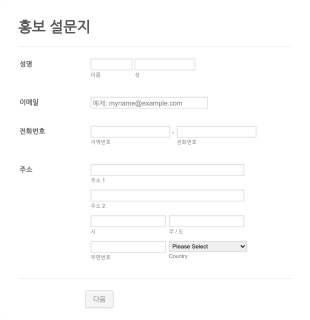
비지니스 홍보 양식
이것은 쇼핑몰이나 백화점을 위한 비지니스 홍보 폼 입니다. 귀하의 비지니스와 상점을 홍보하세요. 손님들이 귀하의 사업체에서 무엇을 사기원하는지 알아보세요. 이 홍보 폼 템플릿은 이름, 이메일, 전화번호, 주소를 포함합니다. 귀하는 이 홍보 폼을 사용해서 귀하의 손님들이 어떻게 귀하를 알게 됐는지 또는 무엇을 사기원하는지 파악할 수 있습니다. 만약 처음부터 시작하길 원한다면 귀하는 자신만의 설문조사도 구축할 수 있으며 이것은 심지어 무료입니다.
카테고리로 이동:비지니스 양식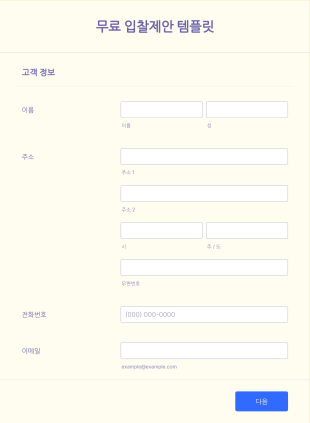
무료 입찰제안 양식
입찰제안 폼은 고객, 투자가 또는 계약자들이 특정 프로젝트를 완료하는 것에 동의하도록 설득하기위해 건설회사와 같은 단체나 회사들에 의해 사용됩니다. 이 폼은 귀하가 프로젝트를 위한 입찰제안을 만들려고 한다면 매우 도움이 될 것입니다. 이 입찰제안 폼은 날짜, 프로젝트 시작일, 프로젝트 완료일, 프로젝트 설명, 작업 범위, 예상 비용 및 결제와 같은 정보를 필요로 합니다.
카테고리로 이동:비지니스 양식비지니스 양식 정보
Business Forms are essential digital forms designed to streamline various operational processes within a business setting. These forms cater to a multitude of operational needs by enabling companies to collect, process, and manage data efficiently. In real-world workflows, Business Forms are used for tasks such as employee onboarding, customer feedback collection, and internal audits. They ensure that businesses can maintain a professional standard of data collection and processing, ultimately enhancing productivity and accuracy across different departments.
Jform stands out as the premier online form builder for creating and customizing Business Forms. Known for its user-friendly interface, Jform offers a seamless drag-and-drop form-building experience, allowing businesses to tailor each form to specific operational needs. Moreover, Jform facilitates automated data collection, reducing the manual effort required to gather insights. The platform also provides centralized data management through Jform Tables, ensuring that all collected data is accessible and secure in one place, thereby empowering businesses to make informed decisions swiftly.
Why Use Business Forms?
- Business Forms enhance the accuracy of data collection by minimizing human error, which is often prevalent in manual entry processes. With automated workflows, data is captured directly from the input source, ensuring high precision and reliability.
- The speed of data processing is significantly increased with Business Forms, as they allow for instantaneous data capture and transfer. This reduces the time lag between data collection and analysis, enabling faster decision-making.
- Professional data handling is a key advantage of using Business Forms. These forms are designed to handle sensitive business data securely, ensuring compliance with industry standards and regulations, thus safeguarding company information.
- Business Forms streamline the workflow by integrating seamlessly with existing business systems. This integration capability reduces the need for redundant data entry and facilitates a smoother transition of information across various platforms.
- Customization options allow businesses to create forms that reflect their brand identity. This ensures consistent communication and data collection practices across all departments, promoting a unified corporate image.
Common Problems Solved by Business Forms
- One of the primary issues businesses face is the cumbersome nature of paperwork, which often leads to inefficiencies and errors. Business Forms digitize this process, eliminating the need for physical documents and reducing clutter.
- Manual data entry is prone to mistakes and is time-consuming. Business Forms automate this process, ensuring that data is accurately captured and stored without the need for constant human intervention.
- Lost data can be a significant setback for any business. With Business Forms, all submissions are securely stored in the cloud, ensuring that important information is always accessible and cannot be misplaced or lost.
- The challenge of maintaining consistent data collection methods across various departments is effectively addressed by Business Forms. They provide a standardized approach to data collection, ensuring uniformity and consistency in the information gathered.
- Data analysis can be a daunting task if the data is not structured properly. Business Forms organize data in a systematic manner, making it easier to analyze a and derive actionable insights.
Matching Use Cases to Features
- For businesses that require dynamic forms to adapt to user input, the Conditional Logic feature is invaluable. It allows forms to change in real-time based on the respondent's answers, leading to more relevant data collection and enhanced user experience.
- Companies looking to streamline payment processes can utilize Jform's integration with over 30 payment gateways, such as Stripe and PayPal. This feature enables businesses to collect payments directly through forms, simplifying the transaction process.
- The need for digital signatures in contract management is met with Jform Sign. This feature allows businesses to capture legally binding electronic signatures, expediting the approval process and reducing the need for physical document handling.
- For organizations that rely on data visualization, the Report Builder feature provides a robust solution. It transforms raw data into insightful reports, enabling business leaders to make data-driven decisions with ease.
- Offline Data Collection, facilitated by Jform Mobile Forms, is crucial for field operations where internet access is limited. This feature ensures that data collection is uninterrupted and automatically syncs once connectivity is restored.
- Secure Data Management is a priority for businesses handling sensitive information. Jform Tables offer a secure environment for data storage, ensuring that all information is protected and accessible only to authorized personnel.
- Integrations with over 100 third-party applications, such as Google Sheets and Salesforce, enhance operational efficiency by allowing seamless data transfer between systems, reducing the need for manual data export and import.
How to Create a Business Form
- Begin by browsing the Template List for a Business template that suits your needs, or start from a blank form to create a custom solution.
- Customize the design and fields of your form using the Drag-and-Drop Form Builder. This intuitive feature allows you to personalize your form’s appearance and functionality to align with your business requirements.
- Once your form is ready, publish and share it via Direct Link, Email, or Website Embed to ensure it reaches the intended audience effectively.
Top Use Cases for Business Forms
- For Managers: Business Forms are invaluable for managers who need to track and analyze performance metrics efficiently. They offer a standardized way to gather and process data, enabling managers to make informed decisions quickly. By using digital forms, managers can streamline reporting processes and ensure accuracy in the data collected, leading to more effective business strategies.
- For Teams: Teams benefit from Business Forms by using them to facilitate collaboration and communication. Forms can be used to gather feedback, track project progress, and manage tasks, ensuring that team members are aligned and informed. The ability to integrate forms with communication platforms like Slack further enhances teamwork by providing real-time updates and notifications.
- For Customers: Customers experience improved service quality when businesses use Business Forms to collect feedback and inquiries. These forms provide a direct channel for customers to communicate their needs and concerns, enabling businesses to respond promptly and effectively. By leveraging digital forms, businesses can enhance customer satisfaction and foster loyalty through timely and appropriate responses.
Summarizing Business Forms
In summary, Business Forms offer a comprehensive solution for businesses looking to enhance data collection and management processes. They provide a platform for efficient, accurate, and secure data handling, ensuring that business operations are streamlined and effective. By leveraging Jform’s capabilities, businesses can customize and automate form workflows, leading to improved productivity and decision-making. As businesses continue to evolve, the adaptability and integration features of Business Forms make them an indispensable part of modern business operations.
자주하는 질문들
1) Jform에서 비즈니스 양식을 무료로 만들 수 있나요?
네. Jform은 비즈니스 양식을 만들고 게시할 수 있는 무료 플랜을 제공합니다. 추가 기능과 더 높은 제출 한도가 필요한 경우 유료 플랜을 이용할 수 있습니다.
2. IT 양식은 조직에 왜 중요한가요?
Absolutely, Jform ensures that all forms and submitted data are protected with high-level security measures, including SSL encryption and compliance with industry standards like GDPR.
3) Do I need coding knowledge to build a Business Form?
No coding knowledge is required to build a Business Form using Jotform. The platform’s drag-and-drop feature makes it easy for anyone to create professional forms without technical skills.
4. IT 양식에는 다양한 유형이 있나요?
Yes, you can collect payments directly through your forms by integrating with Jform’s supported payment gateways, including Stripe, PayPal, and Square.
5. 누가 IT 양식을 사용해야 하나요?
Yes, Jform forms are fully responsive and can be accessed and submitted from any mobile device, ensuring flexibility and convenience for users on the go.
6. IT 양식은 워크플로우 효율성을 어떻게 향상시키나요?
Certainly, with Jform’s PDF Editor, you can automatically generate professional PDF documents from form submissions, which can be customized and downloaded as needed.
7) 비즈니스 양식은 고객 피드백 관리를 어떻게 개선할 수 있나요?
Business Forms streamline the collection of customer feedback by providing a structured and efficient way to gather insights. This facilitates quicker analysis and implementation of customer-driven improvements.
8) 비즈니스 양식을 CRM 시스템과 연동할 수 있나요?
Yes, Business Forms can be integrated with popular CRM systems like Salesforce, allowing seamless data transfer and enhanced customer relationship management.