Free Email Survey Software
Jform’s email survey software is a comprehensive feedback tool designed to engage subscribers and gather data directly from your campaigns. Use it to build custom surveys with conditional logic, embed them into newsletters via simple links, and analyze response trends in real time. The platform integrates with major email services, allowing you to automate follow-ups and personalize the subscriber experience without any coding.
템플릿
Free Email Survey Templates
Not sure where to start? Choose a ready-made template to send to your subscribers in seconds — or to customize with our no-code builder.
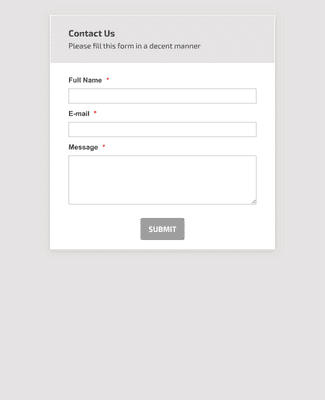
일반 문의 연락처 양식
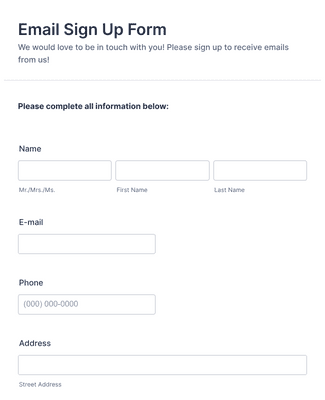
이메일 가입 양식
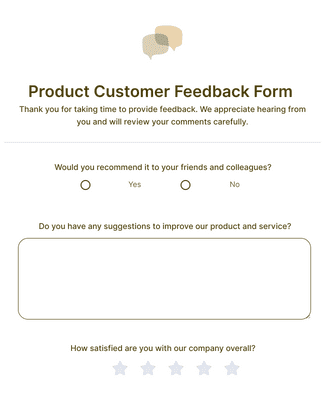
Product Customer Feedback Form
혜택
설문조사 즉시 생성
Create a Survey in Seconds
Use Jform email survey software to build an online survey from scratch or customize a template without coding. The drag-and-drop builder makes it easy to change survey questions and design elements in the same editor. This helps teams publish a survey faster because updates do not require developer time.
Share It with Your Subscribers
Share the survey in an email as a link, or embed the survey on a website built with Wix, Squarespace, Weebly, or other website builders. Connect Jform to Mailchimp or MailerLite to send new subscriber information to email lists automatically. This reduces manual list updates because the survey submission can trigger the list sync.
Manage Subscriber Info with Ease
Store email survey submissions in the same Jform account that hosts the survey, then manage the data in Jform Tables. Tables lets teams filter, group, and search responses so patterns are easier to spot during review. This keeps survey questions and subscriber data connected, so follow-up work is simpler.
Keep Data Protected
Protect survey data with 256-bit SSL encryption, which is enabled for Jform forms by default. Use built-in anti-spam fields and encryption options to reduce unwanted submissions and limit exposure of sensitive responses. The platform also supports PCI and GDPR and offers HIPAA enabled features for healthcare professionals.
사용후기
Jform에 대한 사용자의 의견
자주 묻는 질문
Jform에 대한 귀하의 모든 질문이 응답되었습니다. 일반적인 질문들에 대한 응답을 위해 자주 묻는 질문들을 확인하거나 더 많은 정보를 위해 저희의 고객 지원팀에 연락해 주십시오.
How do I create an email survey?
Creating an email survey is easy with Jform! To create an email survey
- Build a survey from scratch or use a ready-made template. Jform offers hundreds of free survey templates to choose from, so you can get started in seconds.
- Customize your survey questions. What do you want to ask your subscribers? Feel free to collect contact details, demographic information, and add unique question types that will help you gather the data you’re looking for.
- Add the survey to your email. Copy and paste it into your email with a link.
- Collect responses and analyze data. Once you share the email and the responses start rolling in, you’ll have the information you need to better understand your audience — and with Jform’s analytics features, you can gain actionable insights from your data.
Can you put a survey in an email?
Yes. You can create an email survey for free with Jotform. Simply sign up for a free Jform account to create a survey without coding, add your email survey by embedding it or copying and pasting it with a link, and send the email to your subscribers to start collecting responses. Select the survey you’d like to analyze.
Use the report feature in Jform Tables, which allows you to view your data at a glance.
Generate more complex visual reports with Jform Report Builder.
Share survey analysis reports with teammates or shareholders.
Are Jform surveys free?
Yes. You can create an online survey on any Jform plan, including our free plan. To learn more about the different plans available — including plans with higher submission limits — visit Jform’s pricing page.
How do I send a survey through Mailchimp?
To send a survey through Mailchimp, start by creating one with Jform’s powerful survey platform. Once you’ve built a survey with our drag-and-drop builder or customized a ready-made survey template, you can add it to a Mailchimp campaign by adding the form link as a CTA button in your email. When you send out your campaign, your subscribers can click on the button and fill out your survey. All survey responses will be sent straight to your Jform account, where you can view and analyze survey responses to uncover important insights.
How do I embed my form into a website?
With Jform, you can embed a form in your website in a few easy clicks. To embed a form in your website
- Create a form with Jotform. Choose whether to build a form from scratch or get a head start with 20,000+ ready-made form templates. Add your survey questions and choose from unique question types.
- Get your embed code. Open your form in the Form Builder and go to the Publish tab. Select the Embed tab to find your embed code.
- Add the code to your website’s HTML. Copy the embed code and paste it directly into your website’s HTML. Jform embed codes work with Wix, WordPress, Squarespace, and all other major website building platforms.
- Start collecting form responses. Once you’ve published your form, submissions will be sent to your secure Jform account — easy to view and manage on any device.
어떻게 Jform을 WordPress와 연결하나요?
The easiest way to connect Jform to WordPress is by embedding a Jform form into your WordPress website with a copy-paste embed code. To add a survey to WordPress using an embed code, simply
- Create a survey with Jform’s no-code drag-and-drop builder
- Open your survey in the Form Builder and go to the Publish tab
- Open the Embed tab and copy the embed code
- Paste the embed code into your WordPress HTML to display the form on your website
Is Jform safe?
Yes. Jform protects data with GDPR and CCPA compliance, a 256-bit SSL connection, PCI DSS Level II certification, and optional form encryption and HIPAA compliance for healthcare professionals. Visit our security page to learn more about Jform’s security features.