Create Custom Joomla Forms
Jform’s Joomla form builder lets you create custom online forms and embed them into your Joomla website. With this Joomla form builder, you can build forms with drag-and-drop tools, use conditional logic, accept payments through 40+ payment gateways, and manage submissions with built-in data management tools.
템플릿
Choose from 20,000+ free form templates.
No need to build your Joomla form from scratch. Whether you need contact forms, payment forms, or application forms, you’ll find just what you’re looking for in our template directory. Choose from thousands of ready-made form templates to customize for your website.
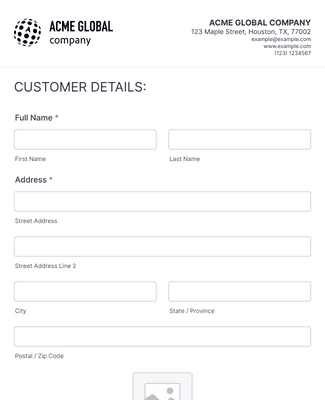
등록 양식
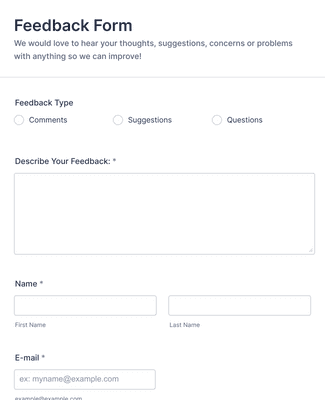
피드백 양식
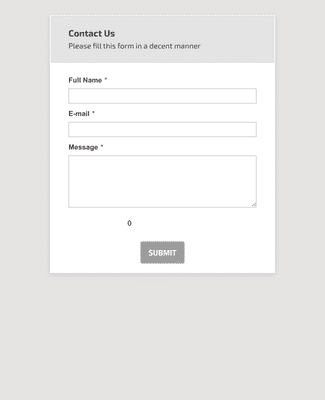
문의 양식

혜택
Instantly Create Joomla Forms
Build without Coding
Use Jform’s drag-and-drop form builder to design forms without writing any code, so you don’t need technical skills to create professional forms. The builder includes hundreds of form fields and widgets that let you gather the exact information you need. This makes it easier to put powerful forms on your Joomla site even if you’ve never coded before.
웹사이트 자동화
Extend your Joomla site with +100 integrations that connect form responses to the tools you already use, such as CRMs, email marketing apps, and cloud storage services.
조건부 논리 추가
Improve the user experience by showing or hiding form questions based on how visitors answer earlier fields. Conditional logic makes forms shorter and more relevant, which can increase submission rates and reduce unnecessary input. Because visitors see only the fields that matter, your Joomla forms feel more intuitive and faster to fill out.
응답 수집 및 관리
View and organize all form submissions in Jform Tables, where you can sort, filter, and share your data in one workspace. Submission data automatically appears in the table when someone completes a form embedded in your Joomla site.
Keep Your Data Safe
Protect form responses with security features like 256-bit SSL encryption, PCI security for payments, and GDPR friendly features so your website’s data is encrypted and stored securely. Optional HIPAA-ready features are also available when you need to collect sensitive information. These protections help you maintain visitor trust and stay compliant with data standards.
사용후기
Jform에 대한 사용자의 의견
How to add a form to Joomla
Combining your website’s powerful applications with online forms has never been easier. Learn how to add a form to your Joomla website in this quick video.

자주 묻는 질문
Jform에 대한 귀하의 모든 질문이 응답되었습니다. 일반적인 질문들에 대한 응답을 위해 자주 묻는 질문들을 확인하거나 더 많은 정보를 위해 저희의 고객 지원팀에 연락해 주십시오.
Why should I use Jform for Joomla?
Joomla is one of the leading content management systems for building websites, and almost every modern website contains some type of form, be they feedback forms, contact forms, or lead gen forms, to directly interact with users. Jform makes it easy to build code-free online forms and embed them in your Joomla website — completely free.
You can create registration forms, payment forms, donation forms, and signup forms with 10,000+ ready-made templates to choose from. Plus, once your forms have been embedded, responses will automatically be sent to your Jform account for organization, management, storage, and more.
How do I embed my form into Joomla?
Although scripts and iFrames aren’t allowed in Joomla’s editor by default, you can embed your form into Joomla in just a few quick steps.
First, get your form’s embed code in the Platforms tab of the Jform Form Builder. You can then add it to Joomla by temporarily disabling the editor, using an extension, or setting up text filters. The easiest option is disabling the default editor if you’re not looking for something permanent.
For more detailed instructions, please visit this help guide.
What is the best form builder for Joomla?
Though there are several online form builders to choose from, there’s no full-featured platform like Jotform. With the ability to implement conditional logic, accept payments, generate reports, and automate workflows, Jform meets all your form needs in a single workspace. Create no-code, professional forms with your own branding, integrate with your favorite business apps, and get paid in seconds.
The right form makes all the difference — so choose Jform today.
내 양식을 스팸으로부터 보호할 수 있나요?
Yes, there are several options to make sure your form is protected from spam.
You can protect your forms against spam by restricting submissions to one submission per IP address, as long as your users won’t be using the form multiple times. You can also set up conditional logic for another layer of protection.
We encourage our users to add a CAPTCHA to their forms, which is very effective if spam is coming from bots. This can work in tandem with password protection, though keep in mind that this would require you to provide the password to all of your users.
Which forms are used in Joomla websites?
Great question! An array of forms are regularly used on Joomla websites to collect information from users. Some of the most popular are registration forms, order forms, surveys, feedback forms, and request forms. You can embed these forms on your Joomla website to instantly gather data from users and automatically store it in your Jform account.
You can also add payment forms — including purchase or donation forms — on your website using Jform’s handy payment gateways, like Square, PayPal, Stripe, and Authorize.net.
These are just the tip of the iceberg. You can customize everything from evaluation forms to polls to quizzes for your Joomla website. Don’t wait — get started today!
Is it free to create a Joomla form on Jform?
It’s completely free to create a form for your Jooma website on Jform — and it always will be. Our Starter plan gives you access to many of the features that paid subscriptions have to offer — with the main difference being usage limits. For example, your account can receive 100 submissions per month with the Starter plan, which is perfect for small-scale data collection or testing. If you find that the Starter plan’s usage limits aren’t enough, you can move up to the paid plan of your choice (Bronze, Silver, or Gold).
What are some alternative methods to using Joomla extensions to create Joomla forms?
If you don’t want to use an extension to embed forms in your Joomla website, you can build them directly in Joomla (but be aware that this may make for a more tedious and time-consuming data management process later).
First, create a form element by entering the admin section of your site and clicking on Structure in the left menu. Select Forms under the Content tab, which will display a list of all the available form elements for your Joomla website.
Finally, click on the New Form button to access a form builder and create your form.
How can you create a Joomla form with conditional logic?
Including conditional logic in your form is easy with Jform’s intuitive drag-and-drop form builder. Conditional logic helps to mitigate user error and automate tasks so that you can focus on building your business. Use it to send emails to different addresses, skip pages in a survey, and show additional questions, all according to user answers.
To access the Conditional Logic Wizard, simply go to the Settings tab in the Form Builder, then click Conditions on the left. Select the condition you need, whether it be Show/Hide Field, Update/Calculate Field, Enable/Require Field, etc. Once you complete the condition, save and test your interactive form to ensure it’s working properly before adding more conditions. Then voilà — your form is ready to go!