Create Fast Forms
Jform’s fast forms help you create custom online forms quickly accessing 20,000+ ready-made templates from and an intuitive drag-and-drop builder. With this fast forms tool, you can build forms without coding, share them via link or embed on your site, and track submissions in Jform Tables to gather data and insights efficiently.
템플릿
Explore Fast Form Templates
Struggling for ideas? Choose one of Jform’s ready-made templates and customize it with our drag-and-drop form builder in just a few minutes.
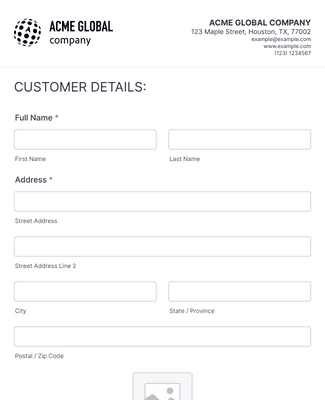
신규고객등록 양식
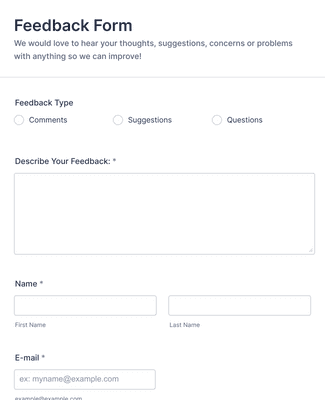
피드백 양식
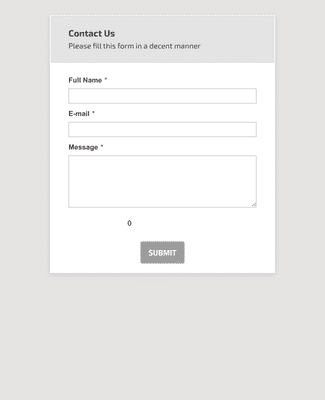
일반 문의 연락처 양식
Jform ChatGPT App
Create forms in seconds inside ChatGPT, refine them through conversation, and turn submissions into clear insights without switching tabs.

혜택
Intuitive Drag-and-Drop Form Builder
Build a form using a drag-and-drop editor, so form creation doesn’t require code. Add, rearrange, and customize form fields, widgets, and integrations as the form takes shape. You can also use conditional logic, accept payments, and generate reports when the form needs more than basic data collection.
Easy to Customize to Your Needs
Customize the form to match a brand by changing fonts and colors and adding logos, images, and videos. Jform Sign and Store Builder can be added when the form needs signatures or an order flow in the same experience. This keeps the form consistent with the workflow it supports instead of feeling like a separate tool.
Share and Embed in Seconds
Share the form with a custom URL as soon as the form is ready. Send the link by email, place it in a social media bio, share a QR code, or embed the form on a website. This gives people multiple ways to open the form, so it’s easier to collect responses quickly.
Track and Manage Submissions
Jform 계정에서 바로 제출물을 손쉽게 추적하고 관리하세요. 어떤 기기에서든 즉시 제출물에 액세스하고 Jform 테이블을 사용해 정리할 수 있습니다. 또한 제출물을 PDF로 변환하거나 Jform 워크플로우로 승인 흐름을 구축해 작업을 자동화하세요.
Build Beautiful, Custom Apps
Turn forms into a no-code app that people can open and use like a dedicated portal. An app can include an online store, a company portal, or multiple forms in one place for easier access. Jform Apps works on smartphones, tablets, and desktops, so the app stays usable across devices.
사용후기
Jform에 대한 사용자의 의견

자주 묻는 질문
Jform에 관한 모든 궁금증을 해결해 드립니다. 자주 묻는 질문에서 일반적인 질문에 대한 답변을 확인하거나, 자세한 내용은 고객 지원팀에 문의하세요.
Fast forms are pretty self-explanatory: They’re forms that you can build quickly and that your audience can fill out quickly! Jform’s software is designed to make the form-building process as easy and fast as possible for you, so you won’t have to spend hours coding just to make a short form. Similarly, we aim to make our forms as intuitive as possible, so everyone can fill out an online form in a matter of minutes.
It’s easy to get started making your own form with Jotform. Simply sign up for one of our plans — ranging from a free Starter plan to a variety of paid plans — and use our drag-and-drop form builder to start creating forms. You can customize your form by adjusting fonts and colors, adding logos, uploading images and videos, and much more. When you’re done, share the form via email, link, QR code, or by embedding it in your website or social media platforms. You can complete the process in mere minutes — it’s that easy!
You can embed forms in an email or website with Jform’s custom embed feature. Just copy and paste your form’s embed code into your site builder, email, or other third-party platform. Options include JavaScript, source code, iFrame, popups, plug-ins, and much more!
네. Jform 테이블을 사용하면 올인원 워크스페이스에서 양식 제출 데이터를 추적, 관리, 분석할 수 있습니다. 연결된 양식의 응답을 동기화하거나, 데이터를 가져오거나, 수동으로 입력할 수 있는 유연성을 제공합니다. 또한 제출물 편집을 요청 및 공유하고, 데이터를 검색 및 필터링하고, 수식과 계산을 추가하고, 다른 플랫폼으로 데이터를 전송하고, PDF를 자동으로 생성하는 등 다양한 작업이 가능합니다. Jform 테이블을 사용하면 팀원들과 손쉽게 협업하며 데이터를 수집, 정리, 관리할 수 있습니다.