Best E-commerce Online Storefront
Jform’s e-commerce online storefront builder is a no-code platform that allows businesses to create professional digital shops in minutes. Use it to design custom stores with drag-and-drop among 280+ stores templates, manage inventory, and securely accept payments through over 40 gateways without paying extra transaction fees. The tool lets you sell products, services, or subscriptions directly to customers on any device, helping you expand your reach effortlessly.
템플릿
무료 전자상거래 앱 템플릿
Get a head start with ready-made online store templates. No matter what you’re selling, these templates are fully customizable to match your products and pricing.
전자상거래 앱 템플릿
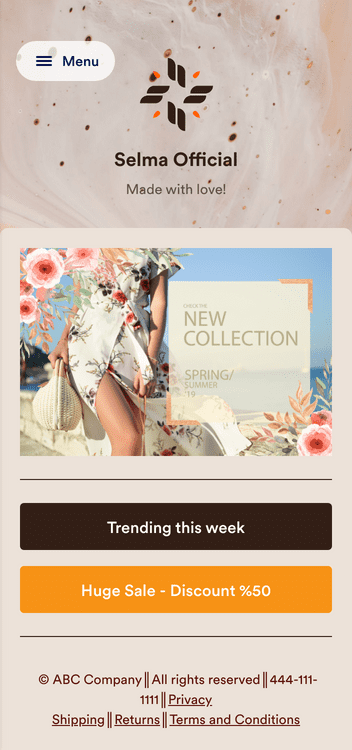
옷가게 앱
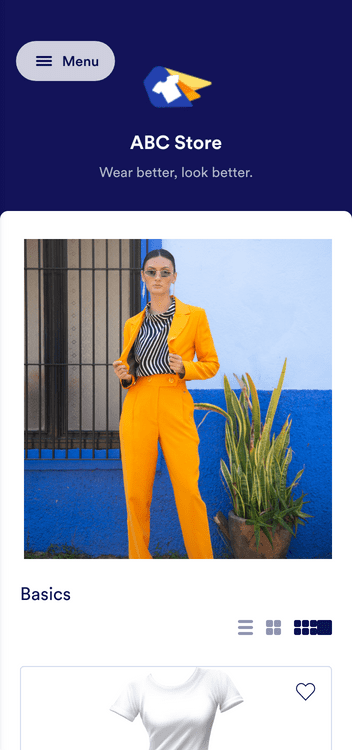
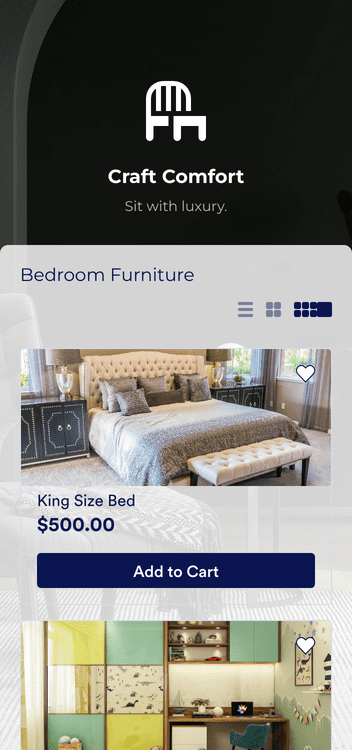
Furniture Store App
혜택
Online Storefront for your E-commerce
온라인 스토어를 구축하세요
Create an online store to sell products, book services, collect registration fees, or accept donations in one place. Add pricing and items with a few clicks, so the storefront is ready for customers without a complicated setup. This helps teams start selling online faster because the store structure is already built for common e-commerce use cases.
Customize to match your branding
Start with a template or a blank storefront, then customize the store with a drag-and-drop builder. Add a logo, change colors, and adjust design details so the storefront matches the business brand. Jform Store Builder offers 280+ templates, which can reduce time spent designing from scratch.
Get paid instantly on any device
Accept payments inside the storefront by connecting a payment processor such as PayPal or Stripe. Jform supports 40+ payment gateways and does not charge extra transaction fees for using those integrations. Multiple payment options can remove checkout friction because customers can pay with the method they already prefer.
Get your store out there
Publish the storefront by embedding it on a website, sharing a link, adding it to social profiles, or using a QR code on print materials. For a dedicated mobile experience, create a Jform app that customers can download on iOS or Android devices. This makes it easier to share the same storefront across web, social, email, and mobile without rebuilding it for each channel.
Manage inventory with ease
Track stock levels in Jform Tables while running the storefront, so inventory and order data stay in one workspace. The storefront inventory can update after each sale, which helps prevent overselling when stock is limited. Add discounts, taxes, and shipping costs, then use automated emails to keep customers informed after an order is placed.
사용후기
Jform에 대한 사용자의 의견
자주 묻는 질문
Jform에 대한 귀하의 모든 질문이 응답되었습니다. 일반적인 질문들에 대한 응답을 위해 자주 묻는 질문들을 확인하거나 더 많은 정보를 위해 저희의 고객 지원팀에 연락해 주십시오.
What is an e-commerce storefront?
An e-commerce storefront is an online store that businesses can use to sell things online. Whether you’re selling products, collecting registration fees, booking your services, or accepting donations for your nonprofit, an e-commerce storefront gives you a quick and easy way to do it online.
How do I create an e-commerce storefront?
Get started for free with Jform! Jform Store Builder lets you build your e-commerce store from scratch or get a head start with ready-made templates. Add your products and pricing with our drag-and-drop no-code builder. Once you’ve customized the store to match your needs and branding — and integrated with one of 25+ payment integrations — share it via email, embed it in your website, or add it to your social media bios to start accepting orders and payments from any device.
How do I make an e-commerce storefront in Jform Store Builder?
Jform Store Builder enables you to build your own online store in minutes. To create your own e-commerce business, simply
- Start from scratch or choose one of 150+ pre-made store templates.
- Customize your store with our drag-and-drop builder. Feel free to add your logo and branding, change fonts and colors, and update the store icon and background.
- Integrate your store with a payment gateway. No coding required — just choose from 25+ options, including PayPal and Stripe, and set it up in a few easy clicks.
- Get your store in front of your audience. Publish it by embedding it in your site, sharing it with a link, or letting customers download it as a free mobile app.
- Start accepting orders, payments, and more.
What is Jform Store Builder, and how does it work?
Jform Store Builder helps users create their own e-commerce business without doing any coding. Using a drag-and-drop interface, users can create a powerful online store for their business — perhaps going from no online presence to accepting orders from any device. Visit our website to learn more about Jform Store Builder.
How long does it take to set up my online store?
Less than a few minutes! Jform offers 150+ ready-made online store templates and easy-to-set-up payment integrations, so you can create your online store and start accepting payments in a few quick clicks.
What products should I sell on my online store?
Any products you’d like. Your online store is fully customizable with Jform Store Builder, so you can easily make it match anything you’re selling — whether that be merch, cookies, massage bookings, or more.
Can I sell internationally online?
Absolutely. By taking your business online with Jform, you can reach a wider audience and accept payments from all over the world, depending on which payment gateway you choose. If you’re looking to go from a local audience to an international audience in order to boost profits for your business, creating an online store is a fantastic way to do it.
Will my online store be optimized for mobile customers?
Yes. Jform is mobile-friendly, meaning your online store will adapt seamlessly to any device — whether that be a desktop computer, a tablet, or any type of smartphone.
What are the 3 types of e-commerce?
Your e-commerce business will likely fall into one of these three types of e-commerce:
- Business-to-business, otherwise known as B2B. This is when an e-commerce business sells its products directly to another business.
- Business-to-consumer, or B2C. This is when an e-commerce business sells products directly to a consumer.
- Consumer-to-consumer, which is when one consumer sells their products directly to other consumers. A good example of a consumer-to-consumer e-commerce platform is eBay.
What are examples of e-commerce stores?
If you’re starting your e-commerce business, we have over 150 premade online store templates to help you get an idea of what kind of store you can create.