Website Translator Widget

Create Your Own Website Translator Widget in Seconds for Your Website

Explore Website Translator widget features, including language selection, translator styles, inline or floating placement, and color customization to create a multilingual website without coding.

Create Your Website Translator Widget - It's Free!

Create Your Own Website Translator Widget in Seconds for Your Website Hero Bg Image

How to embed Website Translator Widget to WordPress

1Get your embed code

After customizing your Jform website widget, click Try it on your website for free, and copy the generated embed code.

2Open the page editor

Go to the WordPress post or page where you want to display the widget, then add a new block.

3Add a Custom HTML block

Select Custom HTML and paste your Jform Website widget embed code into the HTML field.

4Update and view

Click Update or Publish, then open the page to check your embedded widget.

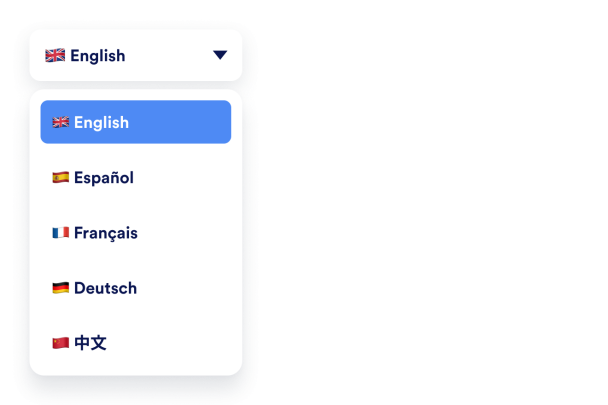
Offer the Languages You Choose

Set your site’s original language and select which languages appear in the switcher so visitors can read your content in a language they understand.

Available language options include

Original language selectionMultiple language supportVisitor language switchingFlexible language selection
Choose Your Languages
Offer the Languages You Choose

Pick a Translator Style

Display the translator as a dropdown, inline buttons, and show or hide flags and full language names.

Display options include
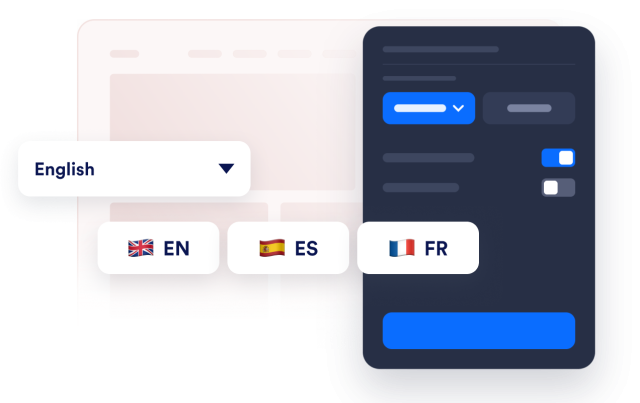
Dropdown switcherInline language buttonsShow country flagsShow language names
Choose a Translator Style
Pick a Translator Style

Match It to Your Brand

Customize background, text, and accent colors, and choose a corner radius

Customization options include

Background colorsText colorsCorner radius
Customize the Look
Match It to Your Brand

Inline or Floating Placement

Keep the switcher inside your page layout or pin it to a corner so it stays reachable as visitors scroll.

Placement options include
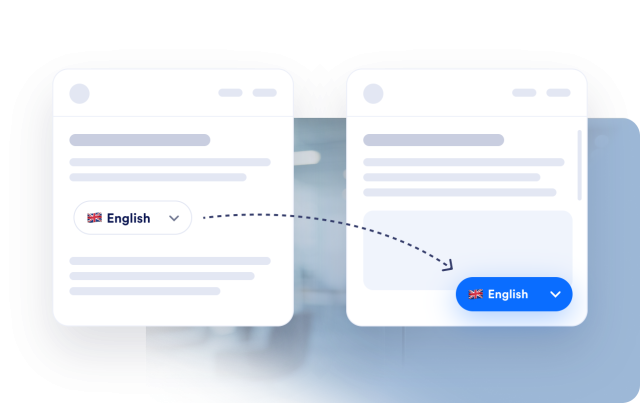
Inline placementFloating switcherCorner positioningAlways accessibleResponsive placementFlexible integration
Choose the Placement
Inline or Floating Placement