Feedback Widget for your website
Give visitors a simple way to send feedback from any page. Add a floating launcher, collect messages in a sidebar, and capture annotated screenshots with highlight, hide, arrow, and text tools.
피드백 위젯을 생성하는 방법
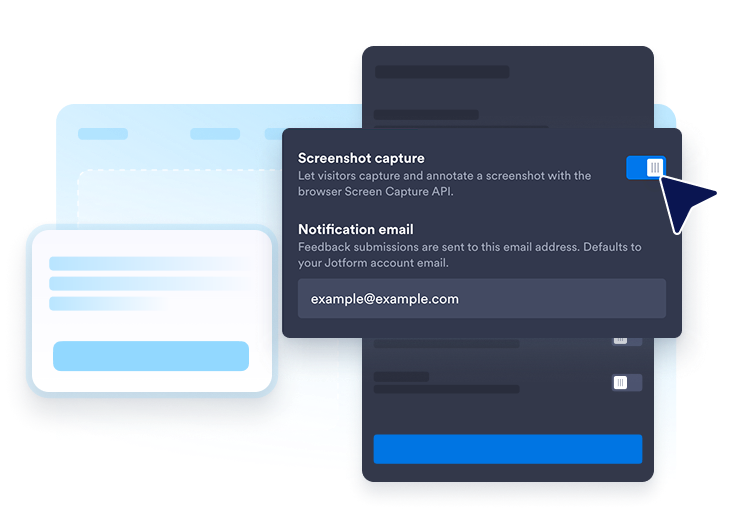
Set up your feedback flow
Choose panel copy, screenshot capture, notification email, launcher label, and thank-you messaging for feedback submissions.
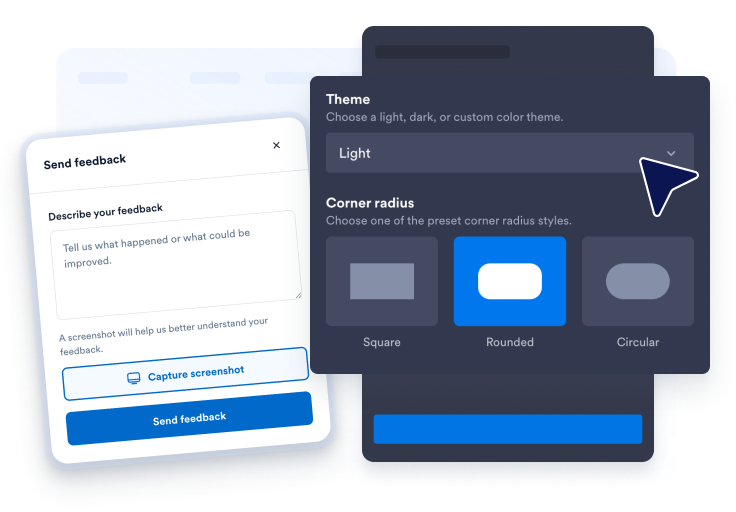
Customize launcher and panel style
Adjust theme presets, colors, typography, corner radius, panel side, launcher position, and desktop or mobile visibility to match your site.
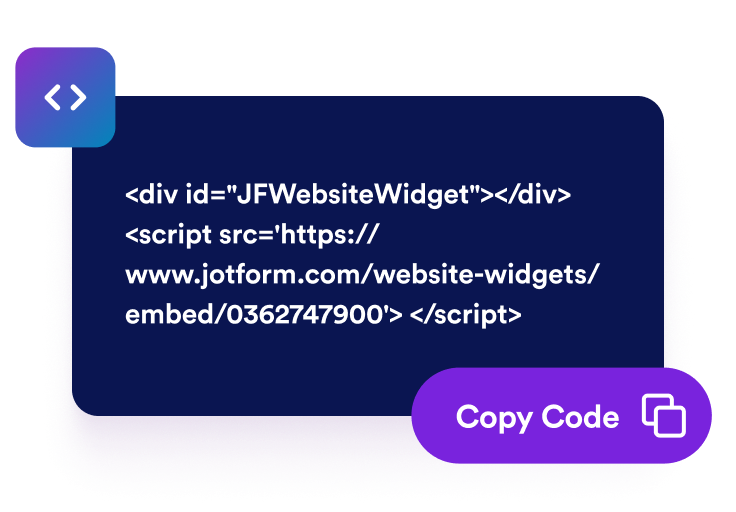
웹사이트에 삽입하기
Preview the widget, copy the generated embed code, and publish the Wishbox launcher anywhere visitors may need to report issues or share ideas.
Collect clearer feedback with screenshots and a floating launcher
Add a floating Feedback launcher to any page
Place a branded Feedback button on the left or right side of the page so visitors can open the sidebar without leaving the page they are viewing.

Highlight, hide, arrow, and text-annotate screenshots
After capture, visitors can open the annotation editor to highlight important areas, hide sensitive details, add arrows, or place text notes before submitting feedback.

Switch between light and dark panel themes
Choose auto, light, dark, or custom theme presets, then fine-tune launcher colors, panel styling, accent buttons, offsets, panel width, and scoped custom CSS.

Jform 웹사이트 위젯이 돋보이는 이유
Jform의 위젯은 웹사이트를 더욱 상호작용형으로 만들고 전환율을 높입니다. 별점 평가 및 추천 슬라이더부터 소셜 증명 팝업 및 미디어 삽입에 이르기까지 다양한 도구를 사용할 수 있습니다. 양식이나 랜딩 페이지에 위젯을 추가하여 데이터 수집을 하고, 증명을 표시하고, 리드를 확보하세요. 코딩이 필요하지 않습니다.
간단한 삽입 코드로 웹사이트에 Jform 위젯을 추가하세요. 위젯을 맞춤 설정하고, 모양을 미리 본 다음, 사용자 지정 HTML 또는 삽입 블록을 지원하는 모든 페이지에 붙여넣으세요. 개발자 없이도 가능합니다.
Jform 웹사이트 위젯을 사용하여 리드를 수집하거나, 고객 피드백을 보여주거나, 소셜 증명을 표시하거나, 미디어를 삽입하거나, 유용한 웹 페이지 도구를 추가하세요. 각 위젯은 방문자가 웹사이트에서 직접 비즈니스와 상호 작용하도록 돕습니다.
위젯 설정, 맞춤 설정, 삽입 또는 문제 해결에 도움이 필요한 경우 Jform 고객 지원 팀이 연중무휴로 대기하고 있습니다. 필요할 때 도움을 받을 수 있다는 확신을 가지고 앞으로 나아갈 수 있습니다.
Where to use your Feedback Widget
Add the Feedback Widget anywhere quick, visual feedback can help your team understand bugs, UX issues, and improvement ideas.
SaaS dashboards so users can report confusing workflows, broken states, or product ideas with screenshots.
Marketing websites to collect page-specific feedback without sending visitors to a separate contact form.
Help centers and docs when readers need to show exactly which step or screenshot is unclear.
Checkout and onboarding flows to catch friction points while visitors are still in context.
Agency and client sites as a lightweight review channel during design and launch cycles.
Internal tools where teams need a fast way to flag issues from live product pages.
Jform 양식 빌더로 리드를 유료 고객으로 전환하세요
Jform으로 참여를 행동으로 전환하세요. 리드를 확보하고, 결제를 수집하고, 응답을 자동화하는 강력한 양식을 한 곳에서 모두 만드세요. 모든 제출물은 Jform 받은 편지함에 도착하며, 여기에서 후속 조치를 취하거나 즐겨 사용하는 앱과 연결할 수 있습니다.
시작하기 — 무료입니다!
자주하는 질문
What is a Feedback Widget?
A Feedback Widget is an embeddable website feedback tool with a floating launcher, sidebar panel, optional screenshot capture, and built-in annotation tools.
How does screenshot capture work?
What annotation tools are included?
Where do feedback submissions go?
Can I customize the launcher and panel?
Does it work on mobile?
Do visitors need to install anything?
코드를 작성해야 하나요?