Data Assistant
  • 혜택
  • 기능
    • 웹 세미나
    • 미디어
    • 블로그
    • 테이블 가이드
    • 받은편지함 가이드
    • AI를 활용한 데이터 분석
    • 자주하는 질문
      • BUILDERS

        • AI 양식 빌더AI 양식 빌더
        • AI 앱 빌더AI 앱 빌더
        • AI 데이터 어시스턴트AI 데이터 어시스턴트
      • 커넥터

        • ChatGPTChatGPT
          • Jform 양식
          • Jform 서명
          • Jform 앱
        • ClaudeClaude
          • Jform 양식
          • Jform 서명
          • Jform 앱
        • MCP 서버MCP 서버
  • 로그인
  • 무료회원가입

Analyze Data

Analyze your submission data with AI to uncover insights, create charts, generate summaries, view statistics, and export data with simple prompts.

대화 시작
AI 데이터 어시스턴트
데이터 분석 분류
Analyze Submission Data
Get Start Now - It’s Free!
Analyze Submission Data

Analyze Submission Data

Use Jform AI Data Assistant to ask questions about form submissions, uncover trends, compare responses, and turn raw table data into clear insights without manual work or building formulas.

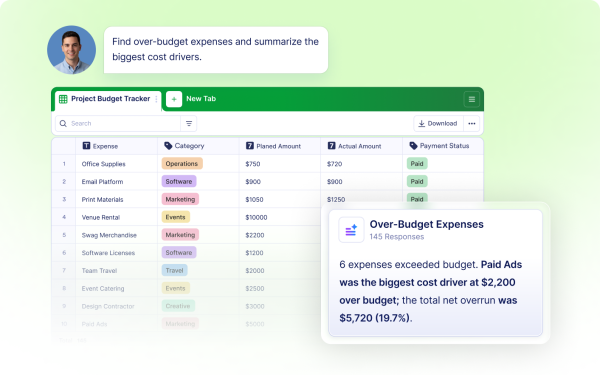
Ask Data Assistant to examine submission content, identify relationships between fields, compare responses, and summarize meaningful differences so you can understand the collected data more clearly.

Ask Questions About Submissions

Explore submission data through a simple conversation. Ask follow-up questions, narrow the analysis by dates or fields, and get useful summaries that help you understand activity and responses.

Refine Your Data Analysis

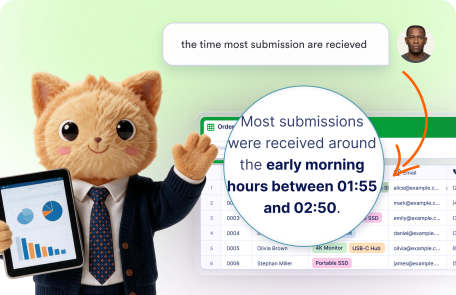
Describe the analysis you need in everyday language, such as peak submission times, common answers, or status totals. Data Assistant reviews the table and returns a focused explanation.
Refine Your Data Analysis

자주 묻는 질문들

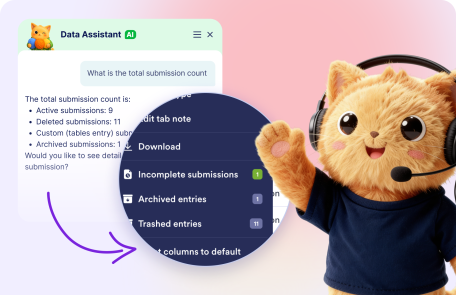
Open Data Assistant from your Jform table and enter a question about the submissions. The assistant reviews the available records and provides a clear answer based on the data stored in your table.

You can ask about submission dates and times, response values, status totals, recurring answers, and differences between groups. The available insights depend on the fields and records in your table.

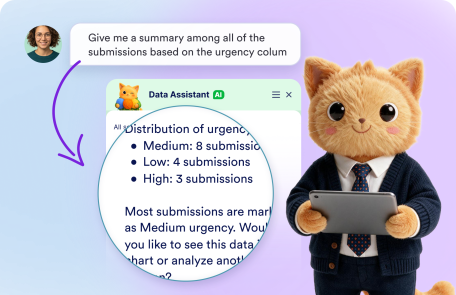
Yes. You can continue the conversation to request more detail, focus on a particular field, compare specific records, or analyze a different date range without starting your request again.

Related Features

View Submission Statistics

AI 데이터 어시스턴트

View Submission Statistics

Summarize Data

AI 데이터 어시스턴트

Summarize Data

Visualize Submission Data

AI 데이터 어시스턴트

Visualize Submission Data

대화 종료
Jform LogoJform Icon
AI 데이터 어시스턴트
데이터 분석 분류

기능

Analyze Submission Data Thumbnail Image
더 알아보기: Analyze Submission Data

Analyze Submission Data

Use Jform AI Data Assistant to ask questions about form submissions, uncover trends, compare responses, and turn raw table data into clear insights.

Visualize Submission Data Thumbnail Image
더 알아보기: Visualize Submission Data

Visualize Submission Data

Ask Jform AI Data Assistant to visualize submission data as bar, pie, donut, or column charts, text grids, and tables so you can spot patterns, compare results, and share insights quickly.

Summarize Data Thumbnail Image
더 알아보기: Summarize Data

Summarize Data

Get instant insights from your table data with Jform AI Data Assistant. Simply ask AI to summarize your data, and it highlights key trends, patterns, and important findings.

View Submission Statistics Thumbnail Image
더 알아보기: View Submission Statistics

View Submission Statistics

View submission statistics with Jform AI Data Assistant. Ask AI about your table activity, and it instantly provides totals, response rates, last submission dates, and other key metrics.

분류
  • 소개9
  • 기능테이블 만들기4
  • 기능테이블 맞춤 설정8
  • 기능제출자료 관리5
  • 기능데이터 분석4
  • 기능Share Tables4
  • 기능Manage Inbox8
  • 기능데이터 내보내기3
  • 기능엔터프라이즈3
  • 기능보안4

Jform

  • 양식 만들기
  • 나의 작업 공간
  • 가격
  • Jform 엔터프라이즈
      • 신청 양식
      • 등록 양식
      • 문의 양식
      • 피드백 양식
      • 주문 양식
      • 평가 양식
      • 예약 양식
      • 예약 양식
      • 요청 양식
      • 정부
      • 의료
      • 여름 캠프
      • 음식점 및 식료품점
      • 교회
      • 동물 보호소
      • 사진 촬영
      • 교육 전문가
      • 중소기업
      • 비영리 단체
      • 크리에이티브 에이전시
      • 설문조사 만드는 방법
      • 데이터 수집 방법
      • 양식 디자인
      • 온라인에서 결제 받기
      • 코딩 없이 앱 만들기
      • QR 코드란 무엇인가요?
      • 웹사이트 만드는 방법
      • 온라인으로 판매하는 방법
      • 업무 평가 가이드
      • 재택근무
      • 모든 비즈니스 가이드
    • 사용 사례
    • Jform 양식 빌더
    • Jform 일정 예약
    • Jform 앱
    • Jform AI 에이전트
    • Jform 보드
    • Jform 스토어 빌더
    • Jform 테이블
    • Jform 인박스
    • Jform 모바일 양식
    • Jform 워크플로우
    • Jform 리포트 빌더
    • Jform 스마트 PDF 양식
    • Jform PDF 편집기
    • Jform 서명
    • Jform AI
    • Claude 양식 빌더
    • ChatGPT 양식 빌더
    • Jform 팀
    • 조건부 논리
    • 대화형 양식
    • 양식 지정
    • 양식 번역
    • 화이트 라벨링
    • 양식 활성화 및 비활성화
    • 여러 사용자
    • 삽입 가능한 양식 빌더
  • 도구
  • AI 도구
  • Form Backend
    • Google Forms 대안
    • Microsoft Forms 대안
    • Typeform 대안
    • Tally Forms 대안
    • Fillout 대안
    • Formstack 대안
    • SurveyMonkey 대안
    • Wufoo 대안
    • 123FormBuilder 대안
    • WPForms 대안
    • Paperform 대안
    • Adobe Sign 대안
    • PandaDoc 대안
    • DocuSign 대안
    • Jform 대안

마켓플레이스

    • 양식 템플릿
    • 에이전트 템플릿
    • 보드 템플릿
    • 앱 템플릿
    • 워크플로우 템플릿
    • 테이블 템플릿
    • PDF 템플릿
    • 서명 템플릿
  • 양식 테마
  • 양식 위젯
    • 결제 통합
    • 모든 통합
    • Canva용 Jform
  • 웹사이트 위젯

지원

  • 문의하기
  • 사용자 가이드
    • 자주하는 질문
    • 지원 센터
    • API 및 개발자
    • Jform 상태
    • Jform 북스
  • Jform 아카데미
  • 웹 세미나
  • 팟캐스트
  • 전문 서비스
  • 악용 사례 신고
  • 저작권 문제 보고하기
  • Jform 계정 복구

회사

  • 회사소개
  • AI용 Jform 정보
  • 미디어 자료
  • 언론 보도
  • 뉴스레터
    • 에이전시 프로그램
    • 리셀러 프로그램
    • 제휴 프로그램
    • Jform 파트너
  • 블로그
  • 고객 스토리

엔터프라이즈

  • 다중 사용자 및 팀
  • 가격
  • 관리자 콘솔
  • 전문 서비스
    • 정부
    • 금융 서비스
    • 교육
    • 비즈니스 서비스
    • 의료
    • 비영리단체
    • 현장 서비스 관리
  • 보안
  • 화이트 라벨
  • 로컬 데이터 레지던시
  • 자주하는 질문

앱 및 플랫폼

Jform은 전 세계 40백만 명 이상의 사용자가 신뢰하는 가장 쉬운 온라인 양식 빌더입니다. 20,000개 이상의 양식 템플릿, 150개 이상의 통합 기능, 드래그 앤 드롭 기능을 갖추고 있으며, 코딩 없이 전문적인 양식이 필요한 비즈니스를 위해 데이터 수집, 결제, 워크플로우를 간소화하도록 설계되었습니다.

4 Embarcadero Center, Suite 780, San Francisco CA 94111
  • 이용약관
  • 개인정보 보호정책
  • 보안
  • 접근성 설명
  • 현대판 노예방지법