Medium Feed Features

Customize your Medium stories for any page

Display public Medium content with flexible source, layout, article-detail, modal, engagement, refresh, style, direction, and label controls.
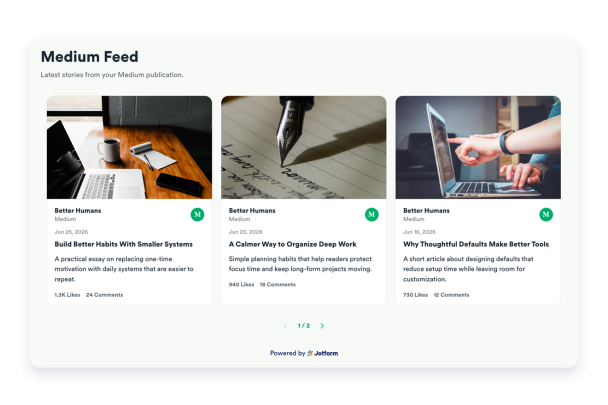

Create your Medium Feed
Customize your Medium stories for any page Hero Bg Image

How to embed Medium Feed Features to WordPress

1Get your embed code

After customizing your Jform website widget, click Try it on your website for free, and copy the generated embed code.

2Open the page editor

Go to the WordPress post or page where you want to display the widget, then add a new block.

3Add a Custom HTML block

Select Custom HTML and paste your Jform Website widget embed code into the HTML field.

4Update and view

Click Update or Publish, then open the page to check your embedded widget.

Fetch and refresh Medium stories from a URL

Use a publication, profile, custom domain, or direct feed URL to pull public stories into the widget, then refresh the source from the widget header when needed.

Source controls:
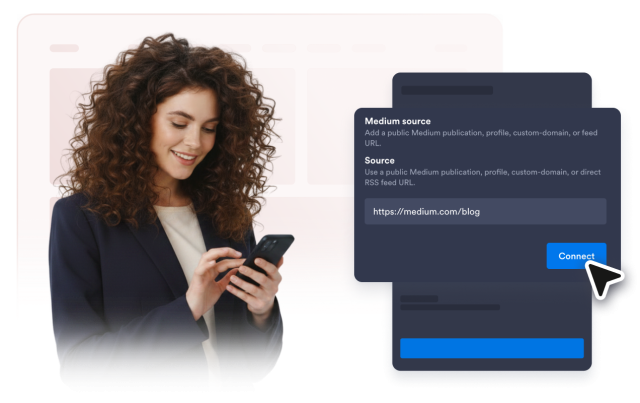
Publication프로필사용자 지정 도메인RSS URL새로 고침
Fetch and refresh Medium stories from a URL

Pick a layout for your content

Show article previews in a readable list, editorial grid, Pinterest-style masonry board, or marquee strip for announcement-style sections.

Layouts include:

목록그리드MasonryMarquee
Pick a layout for your content

Control every article preview

Decide whether visitors see images, excerpts, authors, dates, source labels, engagement counts, share controls, and load-more buttons.

Content controls:

이미지들Excerpt lengthAuthors날짜들Engagement
Control every article preview

Let readers open full stories in a modal

Open the full available feed content in a responsive modal with a fixed desktop image column, scrollable content, share action, and original Medium link.

Modal details:
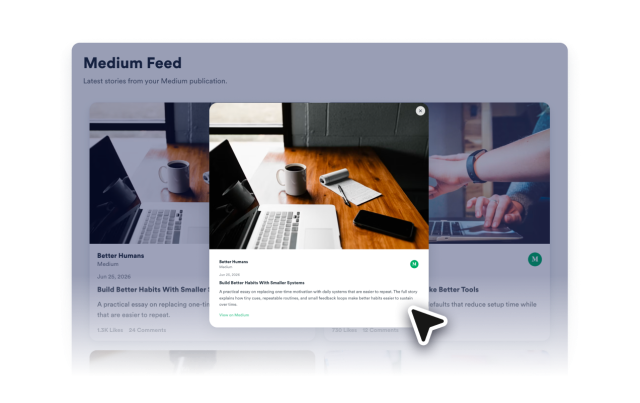
Full textFixed image공유Open on Medium
Let readers open full stories in a modal

Style the feed for your brand

Adjust themes, curated palettes, reset colors, borders, shared card and image radius, shadows, button styles, text direction, spacing, and custom CSS.

Style controls:

테마팔레트RadiusRTL맞춤설정 CSS
Style the feed for your brand

Keep embeds responsive across devices

Use responsive card sizing, mobile-friendly modal behavior, and narrow-screen spacing so the feed remains readable in sidebars, full-width sections, and mobile pages.

Responsive behavior:

데스크탑태블릿모바일모달
Keep embeds responsive across devices