Hotels.com 리뷰 위젯

Dark Carousel for Hotels Reviews

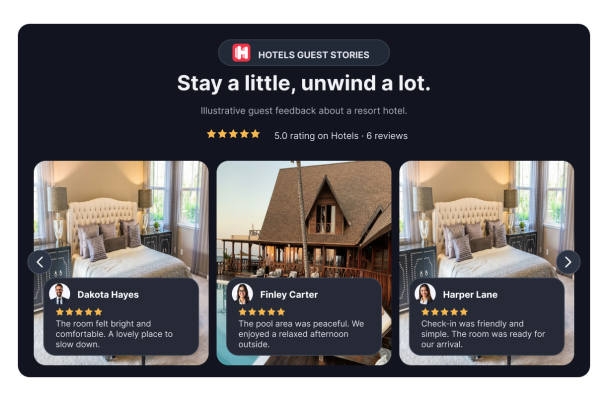
Dark Hotels Reviews Carousel presents six illustrative five-star guest stories for a resort hotel in a dark, full-width layout.
Dark Carousel for Hotels Reviews

More Hotels 리뷰 Styles

Photo Testimonials Slider623 Used

Photo Testimonials Slider

Showcase six fictional sample guest reviews for a modest city guesthouse in a full-width carousel. The comments cover a comfortable bed, an uncluttered room, helpful arrival information, a quiet spot for reading by the window, fresh bed linen, and clear checkout instructions. Each card displays a reviewer portrait and name, a five-star rating, and a room photo used as an illustrative background—not an image of an identified real property. A guesthouse website can use this widget to give visitors a concise preview of the stay. Visitors browse the reviews with the previous and next arrows and can open a review for more detail. The light theme, bold heading, and manual carousel controls keep the focus on the guest comments.

Hotels Reviews Wall of Love528 Used

Hotels Reviews Wall of Love

Hotels Reviews Wall of Love presents six fictional five-star guest reviews about a small guesthouse near an old-town market. A left-aligned source header pairs the Hotels mark with “A cozy base for old-town walks,” an overall rating and six-review count. Native Light Standard cards display stars above complete short comments, with human portraits and reviewer names at the bottom. The sample feedback covers rooms, walking tips, breakfast, a reading nook, arrival and checkout. Dates, review photos, products, branding and CTA are hidden. Replace these fictional examples with authorized feedback. Custom CSS is empty and disabled.

Hotels Reviews Tabs815 Used

Hotels Reviews Tabs

This light, full-width hotel reviews widget presents six fictional five-star guest reviews for a small guesthouse near a public botanical garden. The header, “Notes from our weekend guests,” introduces comments about peaceful rooms, a simple breakfast, a friendly arrival, walks to the gardens, and reading in the courtyard. Reviewer names, portraits, ratings, and a review count are displayed, with Hotels.com identified as the review source. Visitors can select reviewer tabs to read a larger featured review panel and use the previous and next controls to browse the set. This layout suits a guesthouse or hospitality website that wants to show sample guest feedback in a compact, navigable format. The reviews are fictional examples and do not indicate an actual hotel endorsement.

Rainbow Hotels Reviews Wall of Love235 Used

Rainbow Hotels Reviews Wall of Love

Showcase a relaxed weekend-stay theme with this full-width Hotels.com review wall. Its masonry layout presents six illustrative guest comments about a peaceful city base, a quiet courtyard, comfortable rooms, and a warm welcome. Each card displays the reviewer’s name, portrait, and five-star rating, while the heading, “A little calm between city days,” sets a gentle tone for a small city hotel. Designed for hotel teams presenting guest feedback to travelers considering a short city break, the wall gives visitors a quick way to browse the comments. They can select a review to see it in a dialog and use the “Load more” control to explore the displayed reviews.

Hotels 리뷰 위젯을 생성하는 방법

Choose widget elements

위젯 요소 선택

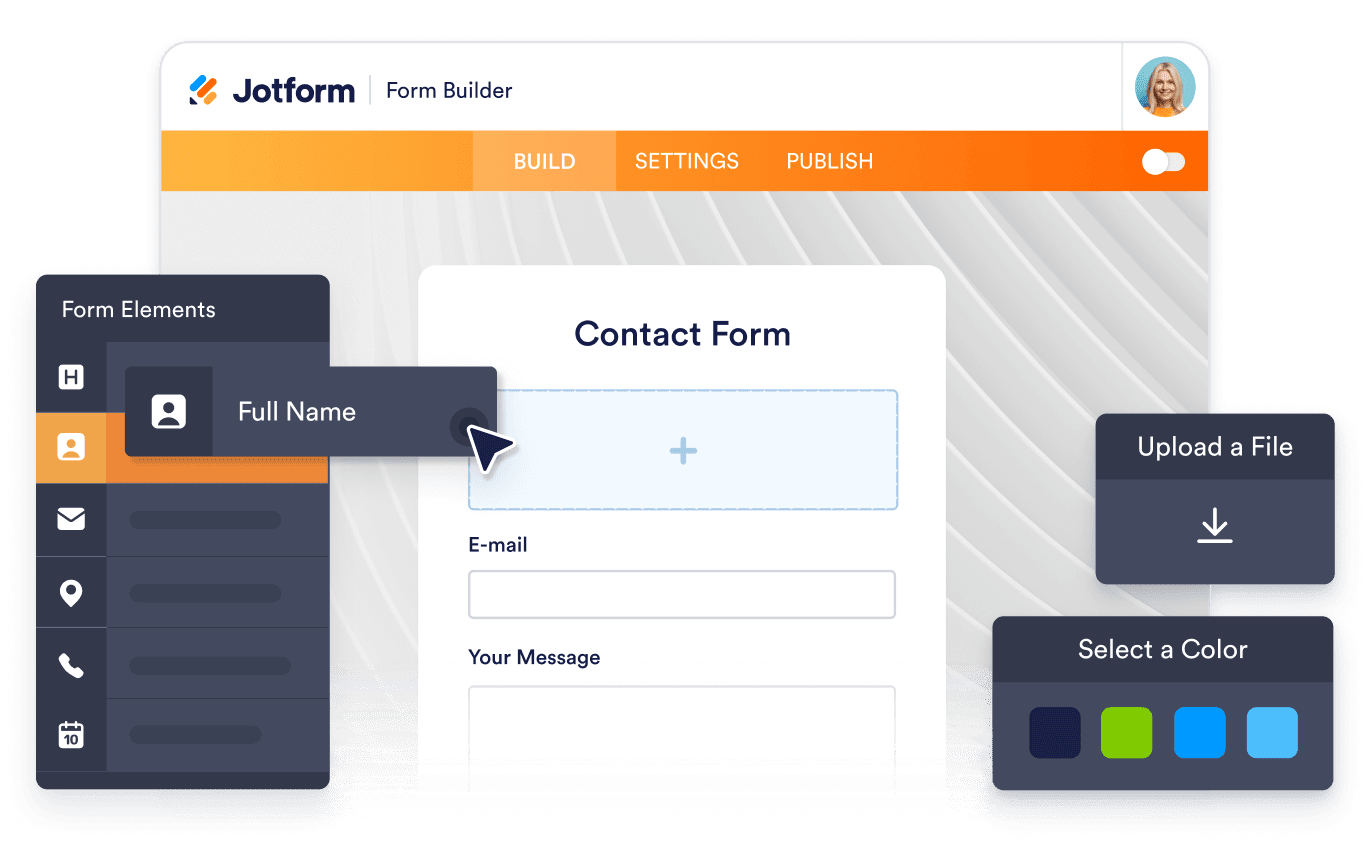
웹사이트 방문자에게 보여주고 싶은 콘텐츠와 요소를 선택하고 필요에 맞게 위젯을 조정하세요.

Customize your widget

위젯 맞춤 설정하기

웹사이트 스타일에 맞게 색상 및 기타 디자인 설정을 조정하여 위젯의 외관을 맞춤 설정하세요.

Embed it on your website

웹사이트에 삽입하기

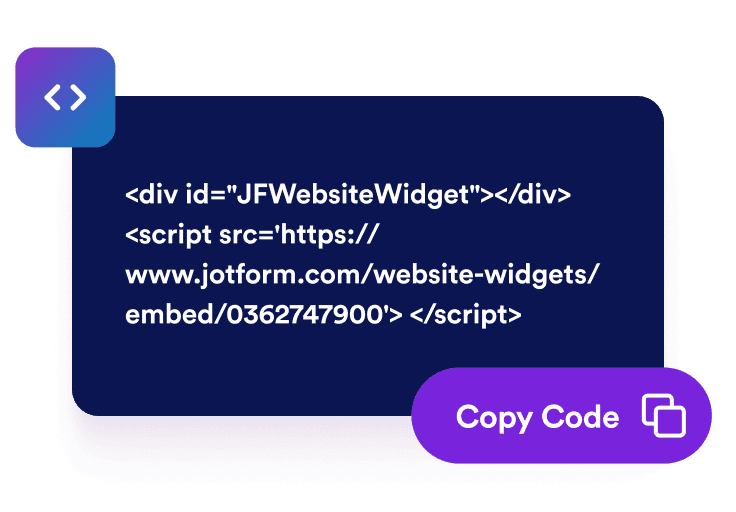
삽입 코드를 사용자 지정 HTML 또는 삽입 블록에 붙여넣은 다음 페이지를 게시하여 웹사이트 위젯을 표시하세요.

고객 여정 전반에 Hotels.com 리뷰 표시하기

고객이 안심하고 선택할 수 있도록 돕기

가격 안내, 회원 가입, 결제 또는 문의 버튼 근처에 긍정적인 고객 후기를 표시하세요. Hotels.com 리뷰는 방문자가 제품, 서비스 및 고객 지원에 대한 실제 경험을 참고하여 자신에게 적합한 업체인지 판단하는 데 도움이 됩니다.

Support confident customer decisions

유용한 고객 리뷰 콘텐츠 추가하기

실제 고객 경험을 바탕으로 작성된 최신 리뷰를 추가하여 주요 페이지에 유용한 정보를 제공하세요. 리뷰를 삽입한다고 검색 순위 향상이 보장되는 것은 아니지만, 업체의 평판을 확인하고 다양한 옵션을 비교하는 방문자에게 도움이 될 수 있습니다.

Add useful customer review content

Hotels.com 리뷰로 신뢰도 높이기

Hotels.com의 고객 후기를 웹사이트에 직접 표시하세요. 실제 고객의 리뷰와 평점은 방문자가 추가 정보를 찾아 다른 페이지로 이동하지 않고도 숙박 시설의 서비스와 신뢰도를 평가하는 데 도움이 됩니다.

Build credibility with Hotels.com reviews

Hotels.com 리뷰 자동 업데이트하기

리뷰 소스를 연결하여 위젯이 표시 조건을 충족하는 Hotels.com 리뷰와 자동으로 동기화되도록 하세요. 새로운 리뷰가 자동으로 표시되므로 고객 후기를 일일이 복사하거나 웹사이트를 직접 업데이트하는 번거로움을 줄일 수 있습니다.

Keep Hotels.com reviews updated automatically

WordPress에 Hotels 리뷰을 삽입하는 방법

1임베드 코드 복사하기

Jform 웹 위젯을 원하는 대로 설정한 다음 웹사이트에서 무료로 사용해 보기를 클릭하고 생성된 임베드 코드를 복사하세요.

2페이지 편집기 열기

위젯을 표시할 WordPress 게시물이나 페이지를 열고 새 블록을 추가하세요.

3사용자 지정 HTML 블록 추가하기

사용자 지정 HTML을 선택하고 HTML 필드에 Jform 웹 위젯의 임베드 코드를 붙여넣으세요.

4업데이트 및 확인하기

업데이트 또는 게시를 클릭한 다음 페이지를 열어 삽입된 위젯을 확인하세요.

Jform 웹 위젯이 특별한 이유

Jform 위젯으로 웹사이트의 상호작용을 늘리고 전환율을 높이세요. 별점 평가, 고객 후기 슬라이더, 고객 신뢰도 팝업, 미디어 삽입 등 다양한 도구를 제공합니다. 코딩 없이 양식이나 랜딩 페이지에 위젯을 추가하여 데이터를 수집하고, 고객 후기를 보여주고, 잠재 고객을 확보할 수 있습니다.

코딩 없이 위젯 삽입하기

간단한 임베드 코드로 웹사이트에 Jform 위젯을 추가하세요. 위젯 디자인을 원하는 대로 설정하고 미리보기를 확인한 다음, 사용자 지정 HTML 또는 임베드 블록을 지원하는 페이지에 코드를 붙여넣으면 됩니다. 개발자의 도움 없이도 사용할 수 있습니다.

더욱 상호작용형인 페이지 만들기

Jform 웹 위젯을 사용하여 잠재 고객을 확보하고, 고객 후기를 표시하고, 신뢰도를 높이고, 미디어를 삽입하거나 웹페이지에 유용한 기능을 추가하세요. 방문자가 웹사이트에서 바로 비즈니스와 상호작용할 수 있도록 도와줍니다.

필요할 때 지원 받기

위젯 설정, 디자인 맞춤 설정, 웹사이트 삽입 또는 문제 해결에 도움이 필요한 경우 Jform 고객 지원팀에 연중무휴 24시간 문의할 수 있습니다. 필요할 때 언제든 도움을 받을 수 있으므로 안심하고 위젯을 사용하세요.

Hotels.com 리뷰 위젯 활용 방법

방문자가 업체의 평판을 확인하고 구매, 구독, 가입 또는 문의 여부를 결정하는 페이지에 Hotels.com 리뷰를 추가하세요.

홈페이지의 고객 신뢰도 섹션에서 고객 평점과 실제 이용 후기를 소개하세요.

제품 및 서비스 페이지에서 주요 장점과 함께 관련 고객 후기를 표시하여 방문자의 이해를 도우세요.

가격 및 요금제 페이지에서 방문자가 다양한 옵션을 비교하고 선택하는 데 도움이 되는 고객 리뷰를 제공하세요.

결제 및 회원 가입 페이지에서 고객 리뷰를 통해 방문자가 최종 결정을 내리기 전의 불안감을 줄여주세요.

캠페인 랜딩 페이지에서 프로모션 혜택과 함께 신뢰할 수 있는 고객 리뷰를 표시하세요.

회사 소개 및 고객 평가 페이지에서 다양한 고객 경험과 후기를 한곳에 모아 보여주세요.

Jform 양식 빌더로 잠재 고객을 유료 고객으로 전환하세요

Jform으로 방문자의 관심을 실제 행동으로 연결하세요. 잠재 고객 확보, 결제 수집 및 자동 응답 기능을 갖춘 양식을 한곳에서 만들 수 있습니다. 모든 제출 내역은 Jform 받은 편지함에 저장되므로 후속 조치를 진행하거나 자주 사용하는 앱과 연결할 수 있습니다.

시작하기 — 무료입니다!
Convert leads into customers

자주 묻는 질문

  • Hotels.com 리뷰 위젯이란 무엇인가요?

    Hotels.com 리뷰 위젯은 Hotels.com에 등록된 고객 평점과 후기 중 표시 조건을 충족하는 리뷰를 웹사이트에 보여주는 도구입니다. 방문자는 제품, 서비스, 가격 또는 업체의 평판을 살펴보면서 다른 고객들의 실제 경험을 참고할 수 있습니다.

  • Hotels.com 리뷰 위젯은 어떻게 삽입하나요?

  • 위젯에는 어떤 Hotels.com 리뷰가 표시되나요?

  • 표시할 Hotels.com 리뷰를 개별적으로 선택할 수 있나요?

  • 위젯 디자인을 맞춤 설정할 수 있나요?

  • 새로운 Hotels.com 리뷰가 자동으로 표시되나요?

  • 위젯을 여러 페이지에 추가할 수 있나요?

  • 위젯은 모바일 친화적인가요?

  • 코드를 작성해야 하나요?

  • Hotels.com 리뷰 위젯은 무료인가요?

  • Hotels.com 리뷰 위젯은 어떤 웹사이트 플랫폼에서 사용할 수 있나요?

  • Hotels.com 리뷰 위젯 설정에 대한 도움을 받을 수 있나요?