Accordion Slider Widget for your website
Turn galleries, product stories, feature tours, and portfolio highlights into expandable accordion panels. Add image or video media, optional badges, titles, descriptions and CTA buttons, then control interaction, transitions, alignment, responsive visibility, and styling without code.
Accordion Slider 위젯을 만드는 방법

Build your panels
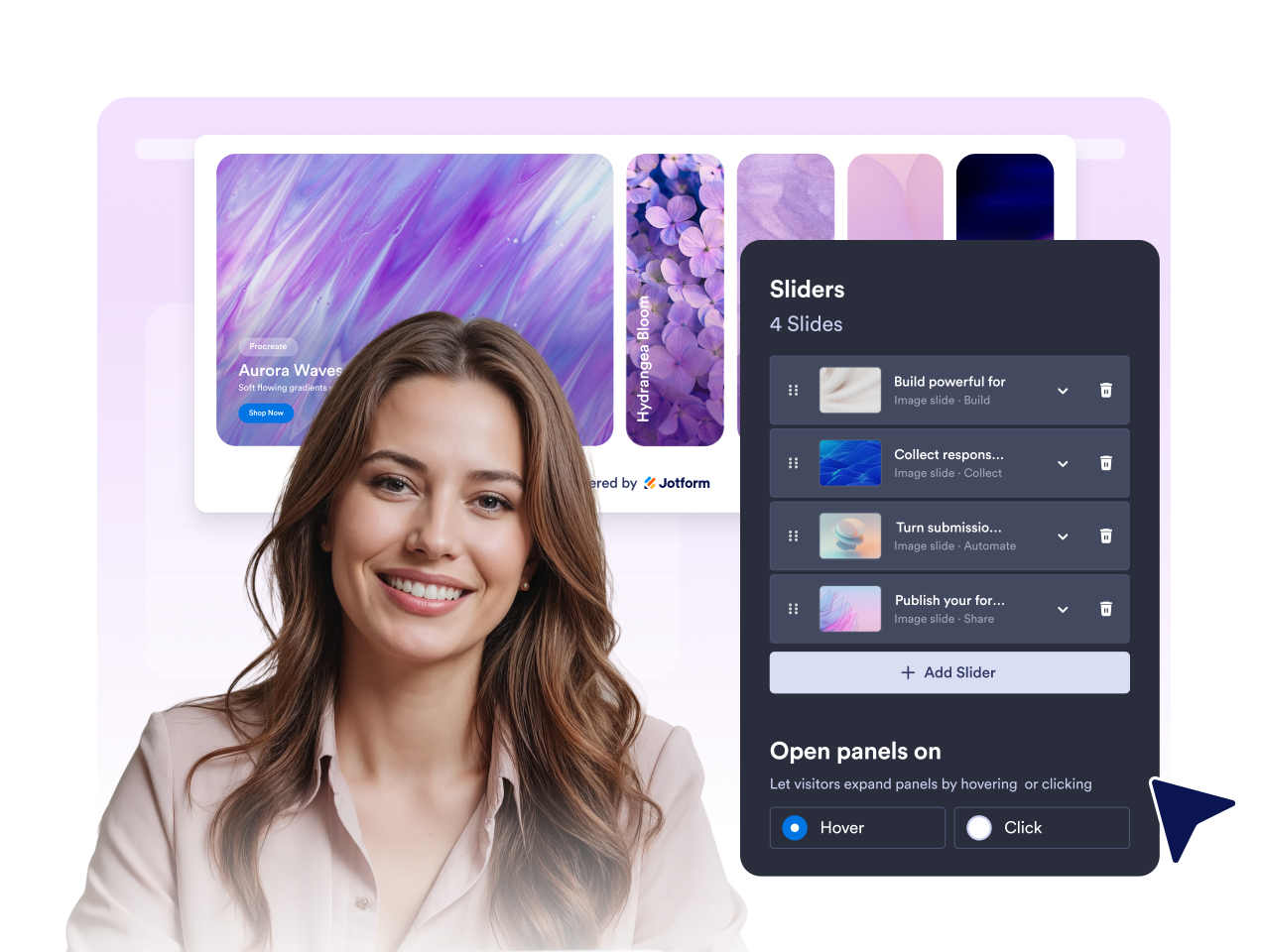
Upload images or add videos, then toggle each badge, title, description, and CTA button independently. Reorder or duplicate panels with their media intact.

Choose interaction and layout
Set the first open panel, hover or click activation, transition preset, autoplay timing, orientation, text alignment, width, and device visibility.
Style and publish
Choose the preset style or custom colors, apply a shared corner radius and font, control branding, and add scoped Custom CSS before publishing.
Show more visual content in a compact interactive space
Save Space
Display multiple images and content sliders in a compact layout without overwhelming your page. Visitors can easily focus on one slider at a time while still getting a clear overview of everything you want to showcase, creating a clean and organized browsing experience.

Highlight Content
Bring attention to featured images, products, services, or announcements by expanding individual sliders on hover or click. The interactive layout naturally guides visitors through your content and makes important information stand out.
용이한 맞춤 설정
Personalize overlays, text, badges, buttons, typography, corner radius, alignment, and transition behavior. Use scoped Custom CSS when you need more control.

반응형 디자인
Horizontal desktop accordions adapt into readable stacked panels on smaller screens. Choose whether the widget appears on desktop, mobile, or both.

Why Jform Website Widgets stand out
Jotform’s widgets make your website more interactive and increase conversions. There are many tools available, from star ratings and testimonial sliders to social proof popups and media embeds. Add widgets to your forms or landing pages to collect data, display proof, and capture leads — no coding required.
Add Jform widgets to your website with a simple embed code. Customize the widget, preview how it looks, and paste it into any page that supports custom HTML or embed blocks, all without a developer.
Use Jform Website Widgets to collect leads, show customer feedback, display social proof, embed media, or add helpful web page tools. Each widget helps visitors interact with your business directly from your website.
If you need help setting up, customizing, embedding, or troubleshooting your widget, Jotform’s customer support team is available 24-7. You can move forward with confidence, knowing that help is there when you need it.
Where to use your Accordion Slider widget
Add the widget anywhere visitors need to compare visual options, scan multiple highlights, or choose what to explore next.
Portfolio and case study pages to show multiple projects in one compact visual area.
Product and collection pages to reveal features, use cases, bundles, or category highlights.
Homepage sections to turn hero alternatives, services, or campaigns into an interactive showcase.
Travel, venue, and restaurant pages to present destinations, rooms, menu sections, or experiences.
Agency and service pages to explain capabilities while keeping imagery visible.
Internal portals and knowledge hubs to organize recurring visual updates without a full carousel.
Convert leads into paying customers with the Jform Form Builder
Turn engagement into action with Jotform. Create powerful forms that capture leads, collect payments, and automate responses, all in one place. Every submission lands in your Jform Inbox, where you can follow up or connect with your favorite apps.
시작하기 — 무료입니다!
자주하는 질문
What is an Accordion Slider widget?
An Accordion Slider widget displays multiple media panels in one frame. Visitors expand a panel to reveal its image or video, text, and action.
Can I use images and videos?
Can visitors open panels by hovering?
Can the accordion autoplay?
Can I choose horizontal or vertical layout?
Can I control the first open panel?
Can I duplicate a panel with its media?
Do I need to write code?