# Jform Multiple Users: Share your forms with your team | Jform Government

여러 사용자

# Jform 계정에 여러 사용자 추가

With unique user logins and robust administrative controls, you can protect organizational data while empowering more informed decision-making. Easily adjust team, colleague, and client permissions to tailor form access or reassign forms with a click to adapt to organizational changes.

[영업팀에 문의하기](https://www.jform.co.kr/government/contact-sales/)

![Image 1: Teams](https://cdn.jotfor.ms/image/r/aHR0cHM6Ly9jZG4uam90Zm9yLm1zL3AvZ292ZXJubWVudC9hc3NldHMvaW1nLW1pbi9tdWx0aXBsZS11c2Vycy9oZXJvLWRlc2t0b3AucG5n/hero-desktop.png?w=1024&t=1)

**With a multiuser Jform Government plan, you can grant form access to multiple users. Plus, you’ll have full control over permission settings — add or delete users, filter your user list, send notifications, and review user activity for easy user management.**

## 전문적인 사용자 관리

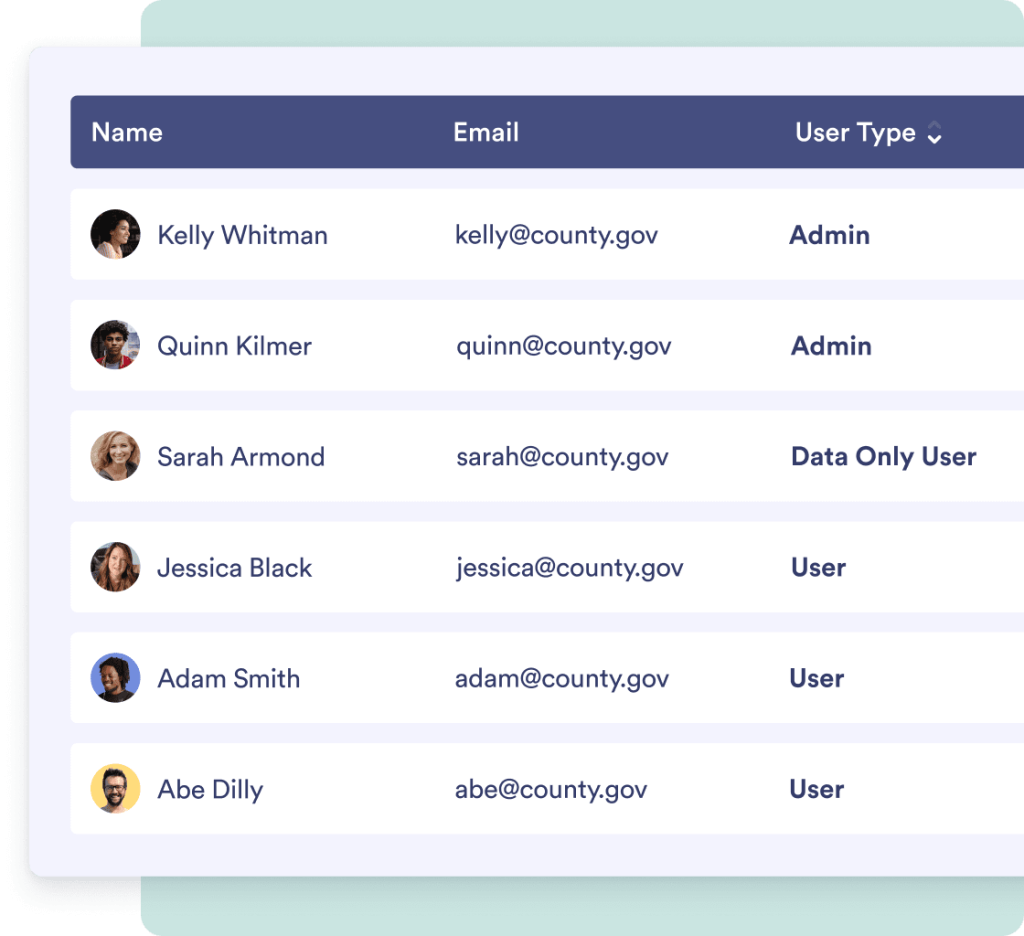
Control who can access your forms and submissions with Jotform’s fully customizable permissions settings. Add new user accounts, set them as users or admins, and further customize permission levels to perfectly suit your organization.

![Image 2: Access user account history](https://cdn.jotfor.ms/image/r/aHR0cHM6Ly9jZG4uam90Zm9yLm1zL3AvZ292ZXJubWVudC9hc3NldHMvaW1nLW1pbi9tdWx0aXBsZS11c2Vycy9hY2NvdW50LWhpc3RvcnkucG5n/account-history.png?w=40&t=1)

## 사용자 계정 기록 엑세스

![Image 3: Access user account history](https://cdn.jotfor.ms/image/r/aHR0cHM6Ly9jZG4uam90Zm9yLm1zL3AvZ292ZXJubWVudC9hc3NldHMvaW1nLW1pbi9tdWx0aXBsZS11c2Vycy9hY2NvdW50LWhpc3RvcnkucG5n/account-history.png?w=40&t=1)

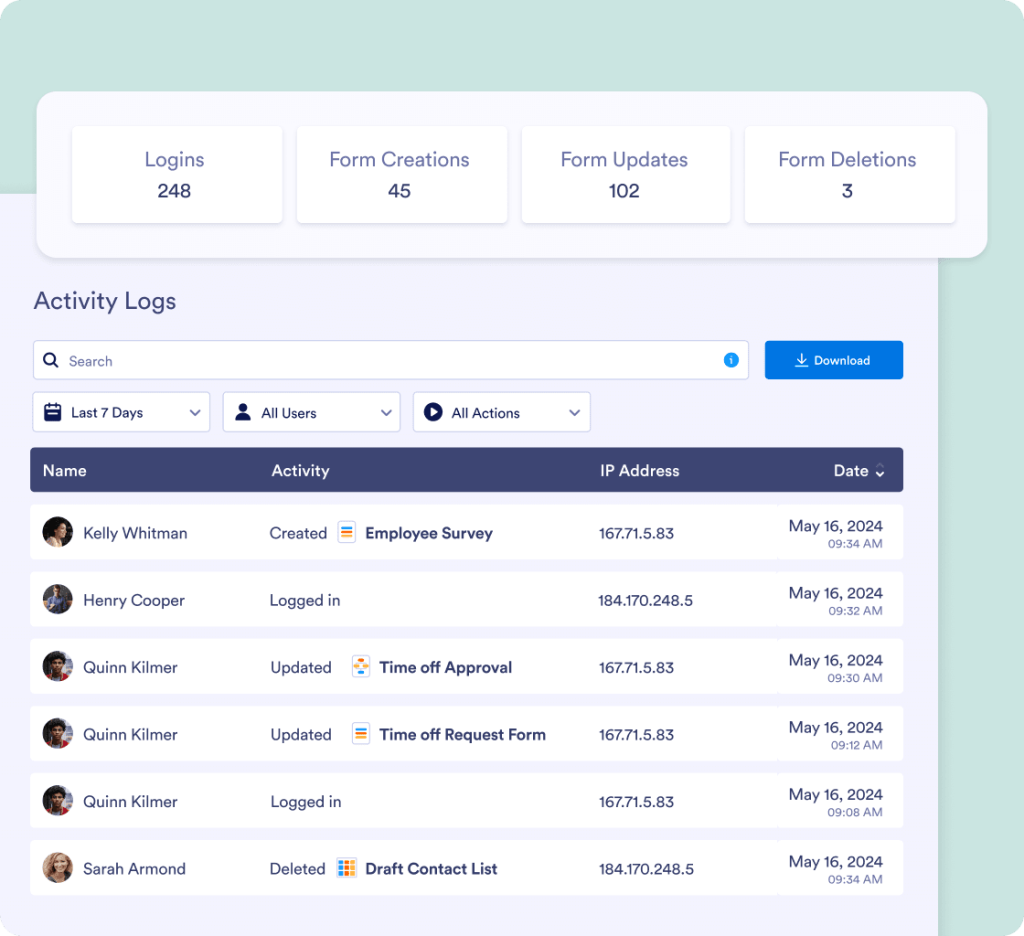
See how your employees or clients are using your organization’s forms through detailed activity logs. You’ll be able to view form modifications, additions, deletions, and purges, as well as each user’s login and email history.

[영업팀에 문의하기](https://www.jform.co.kr/government/contact-sales/)

![Image 4: Send notifications to users or clients](https://cdn.jotfor.ms/image/r/aHR0cHM6Ly9jZG4uam90Zm9yLm1zL3AvZ292ZXJubWVudC9hc3NldHMvaW1nLW1pbi9tdWx0aXBsZS11c2Vycy9zZW5kLW5vdGlmaWNhdGlvbnMucG5n/send-notifications.png?w=40&t=1)

## 사용자 또는 고객에게 알림 전송

![Image 5: Send notifications to users or clients](https://cdn.jotfor.ms/image/r/aHR0cHM6Ly9jZG4uam90Zm9yLm1zL3AvZ292ZXJubWVudC9hc3NldHMvaW1nLW1pbi9tdWx0aXBsZS11c2Vycy9zZW5kLW5vdGlmaWNhdGlvbnMucG5n/send-notifications.png?w=40&t=1)

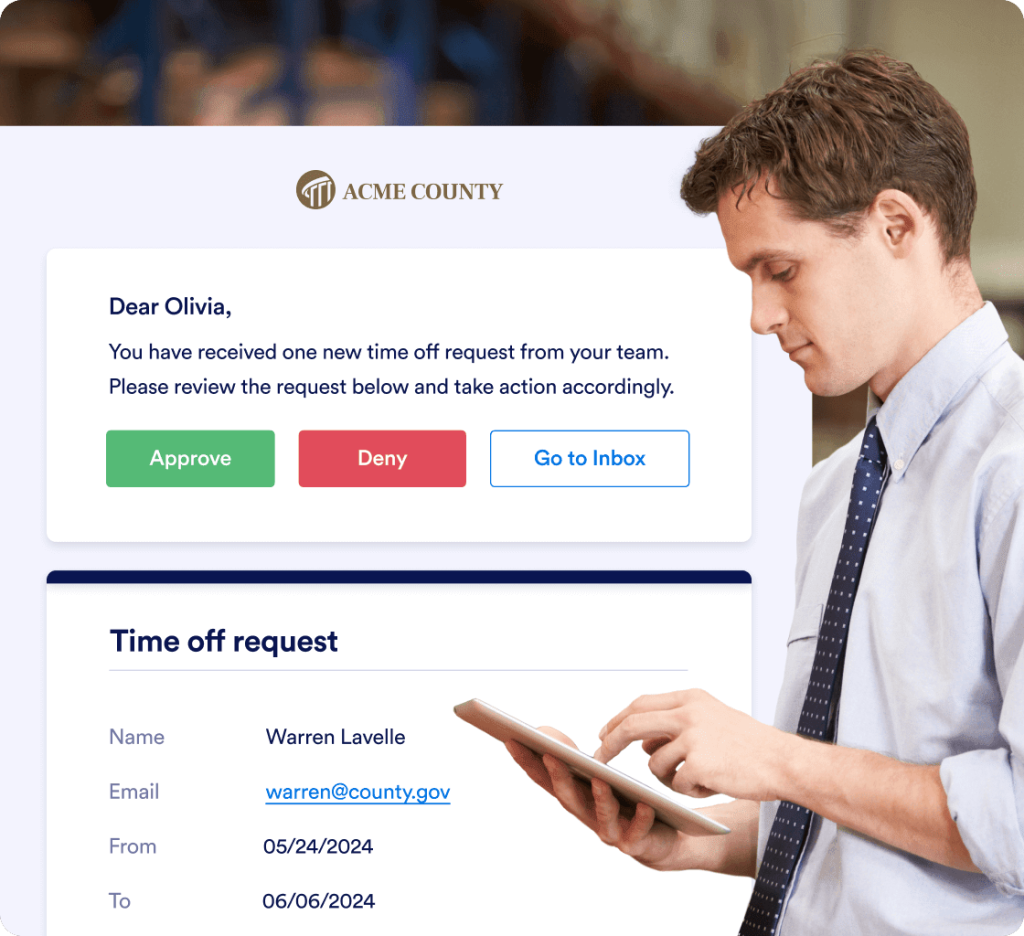
Notify colleagues or clients about form submissions with personalized emails. After receiving the notification, they can fill out a follow-up form, share submissions with others, or take other actions.

[영업팀에 문의하기](https://www.jform.co.kr/government/contact-sales/)

![Image 6: Set team member access roles](https://cdn.jotfor.ms/image/r/aHR0cHM6Ly9jZG4uam90Zm9yLm1zL3AvZ292ZXJubWVudC9hc3NldHMvaW1nLW1pbi9tdWx0aXBsZS11c2Vycy9hY2Nlc3Mtcm9sZXMucG5n/access-roles.png?w=40&t=1)

## Set team member access roles

![Image 7: Set team member access roles](https://cdn.jotfor.ms/image/r/aHR0cHM6Ly9jZG4uam90Zm9yLm1zL3AvZ292ZXJubWVudC9hc3NldHMvaW1nLW1pbi9tdWx0aXBsZS11c2Vycy9hY2Nlc3Mtcm9sZXMucG5n/access-roles.png?w=40&t=1)

조직 내 팀을 위한 공유 온라인 작업 공간을 만듭니다. 구성원이 폼, 테이블, 보고서 및 앱을 만들어 온라인에서 공동으로 작업할 수 있습니다. 다양한 역할과 권한을 설정하여 데이터를 제어할 수 있습니다.

[영업팀에 문의하기](https://www.jform.co.kr/government/contact-sales/)

![Image 8: Add or delete users](https://cdn.jotfor.ms/image/r/aHR0cHM6Ly9jZG4uam90Zm9yLm1zL3AvZ292ZXJubWVudC9hc3NldHMvaW1nLW1pbi9tdWx0aXBsZS11c2Vycy9hZGQtZGVsZXRlLXVzZXJzLnBuZw==/add-delete-users.png?w=40&t=1)

## 사용자 추가 또는 삭제

![Image 9: Add or delete users](https://cdn.jotfor.ms/image/r/aHR0cHM6Ly9jZG4uam90Zm9yLm1zL3AvZ292ZXJubWVudC9hc3NldHMvaW1nLW1pbi9tdWx0aXBsZS11c2Vycy9hZGQtZGVsZXRlLXVzZXJzLnBuZw==/add-delete-users.png?w=40&t=1)

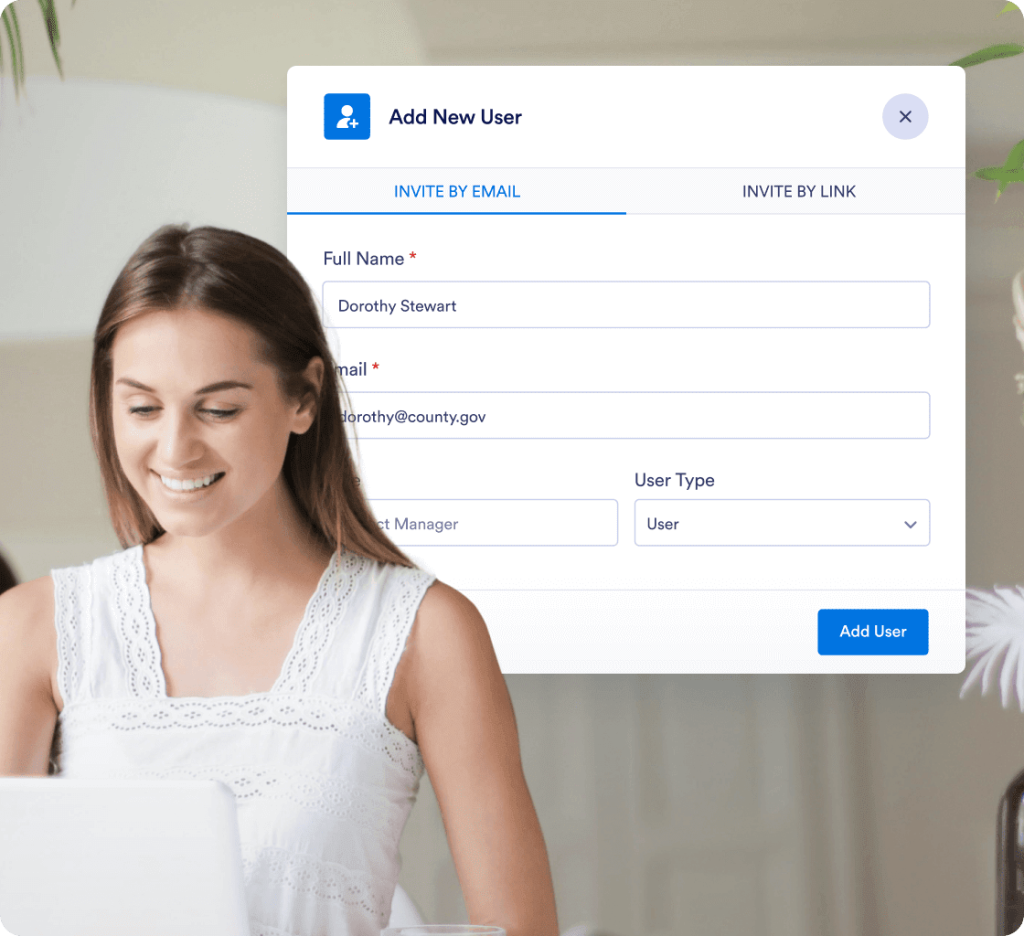
Add new users or remove existing ones with just a couple of clicks. Create an online data management platform that can be updated easily as your business grows.

[영업팀에 문의하기](https://www.jform.co.kr/government/contact-sales/)

![Image 10: Customize permission levels](https://cdn.jotfor.ms/image/r/aHR0cHM6Ly9jZG4uam90Zm9yLm1zL3AvZ292ZXJubWVudC9hc3NldHMvaW1nLW1pbi9tdWx0aXBsZS11c2Vycy9jdXN0b21pemUtcGVybWlzc2lvbnMucG5n/customize-permissions.png?w=40&t=1)

## 권한 수준 맞춤 설정

![Image 11: Customize permission levels](https://cdn.jotfor.ms/image/r/aHR0cHM6Ly9jZG4uam90Zm9yLm1zL3AvZ292ZXJubWVudC9hc3NldHMvaW1nLW1pbi9tdWx0aXBsZS11c2Vycy9jdXN0b21pemUtcGVybWlzc2lvbnMucG5n/customize-permissions.png?w=40&t=1)

A high-level manager and a new recruit shouldn’t have the same access to your forms and data. Use Jform to set specific permissions for users and admins.

[영업팀에 문의하기](https://www.jform.co.kr/government/contact-sales/)