Team Showcase Widget for your website
Present the people behind your brand with polished team profiles. Choose a template, add member photos, roles, bios, email and social links, adjust layout and display settings, then embed the responsive team section on your website.
Team Showcase 위젯을 만드는 방법
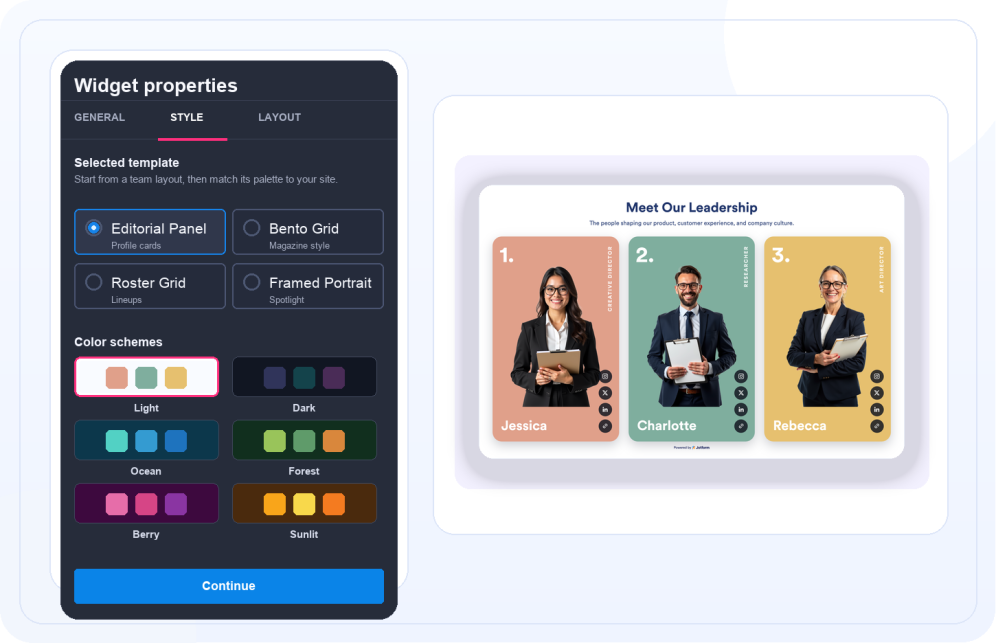
Choose a team template and color scheme
Start with a ready-made look such as Editorial Panel, Blob Mask, Pill Capsule, Framed Portrait or Roster Grid, then pick a color scheme such as Light, Dark, Ocean, Forest, Berry, or Sunlit.

Add member profiles
Enter each person's name, role, short bio, photo, email, social profile, Instagram, and website link as needed.
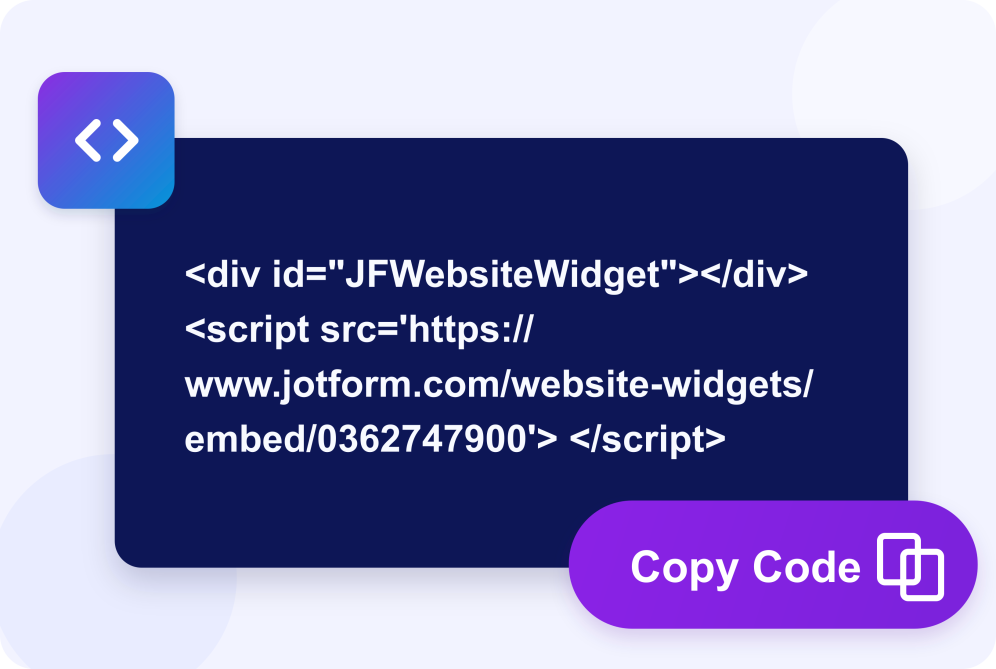
Customize and embed
Set layout, columns, colors, typography, spacing, and visible details, then copy the embed code for your website.
Build a team section that fits your people and page
Create complete member profiles
Give each person a name, role, short bio, photo, email, social profile, Instagram, and website link so visitors can quickly understand who they are.

Use layouts for different team stories
Show your team in a responsive grid, banner, or spotlight layout, then choose two, three, or four columns where the selected layout supports them.

Start from visual templates
Select from team-focused templates such as Editorial Panel, Blob Mask, Pill Capsule, Overlap Panel, Framed Portrait, Roster Grid.

Control style and visible details
Choose a color scheme, font, size, alignment, corners, shadow, and spacing, then show or hide avatars, roles, social links, bios, member numbers, and Jform branding.

Why Jform Website Widgets stand out
Jotform’s widgets make your website more interactive and increase conversions. There are many tools available, from star ratings and testimonial sliders to social proof popups and media embeds. Add widgets to your forms or landing pages to collect data, display proof, and capture leads — no coding required.
Add Jform widgets to your website with a simple embed code. Customize the widget, preview how it looks, and paste it into any page that supports custom HTML or embed blocks, all without a developer.
Use Jform Website Widgets to collect leads, show customer feedback, display social proof, embed media, or add helpful web page tools. Each widget helps visitors interact with your business directly from your website.
If you need help setting up, customizing, embedding, or troubleshooting your widget, Jotform’s customer support team is available 24-7. You can move forward with confidence, knowing that help is there when you need it.
Where to use your Team Showcase widget
Use a team section anywhere visitors want to know who they are working with.
About pages to introduce founders, leadership, and the wider team.
Agency and studio sites to present specialists and their roles.
Law, medical, and consulting practices to build trust with named professionals.
Startup and SaaS pages to put faces to the product and support team.
Real estate and brokerage sites to showcase agents and contact links.
Nonprofit and community pages to highlight staff, board members, and volunteers.
Clubs and sports sites to publish rosters, roles, and member profiles.
Convert leads into paying customers with the Jform Form Builder
Turn engagement into action with Jotform. Create powerful forms that capture leads, collect payments, and automate responses, all in one place. Every submission lands in your Jform Inbox, where you can follow up or connect with your favorite apps.
시작하기 — 무료입니다!
자주하는 질문
What is a Team Showcase widget?
A Team Showcase widget displays team members with photos, names, roles, short bios, email addresses, and optional social or website links.
What templates can I use?
What layouts are available?
What information can each member include?
Can I hide member details?
Can I customize the design?
Is the Team Showcase widget responsive?
Can I use it for a roster instead of a company team?
Where can I embed it?