Calculator Widget for your website
Let visitors estimate prices, project costs, and quotes right on your page. Build the input fields, set a price for each one, add optional tax and discount, and the widget updates the total instantly. Customize labels, colors, layout, and a call-to-action button in a no-code builder.
계산기 위젯을 만드는 방법
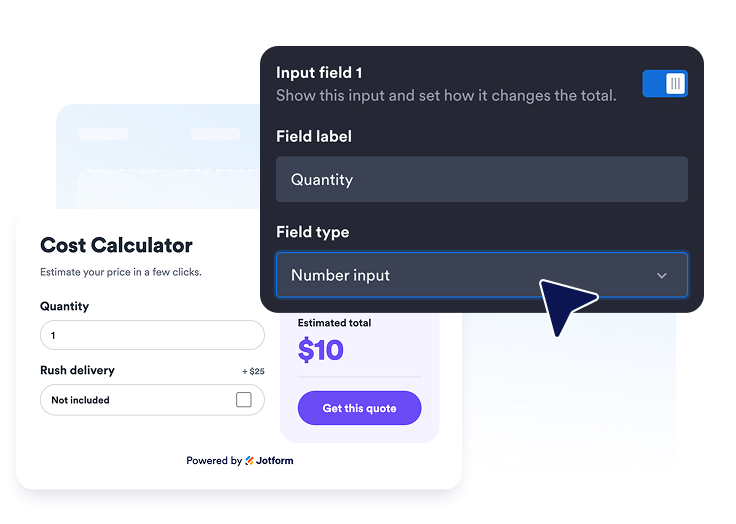
Build your fields
Add number, slider, checkbox, and dropdown inputs, then set a base price and a price for each option so the widget knows how to calculate.
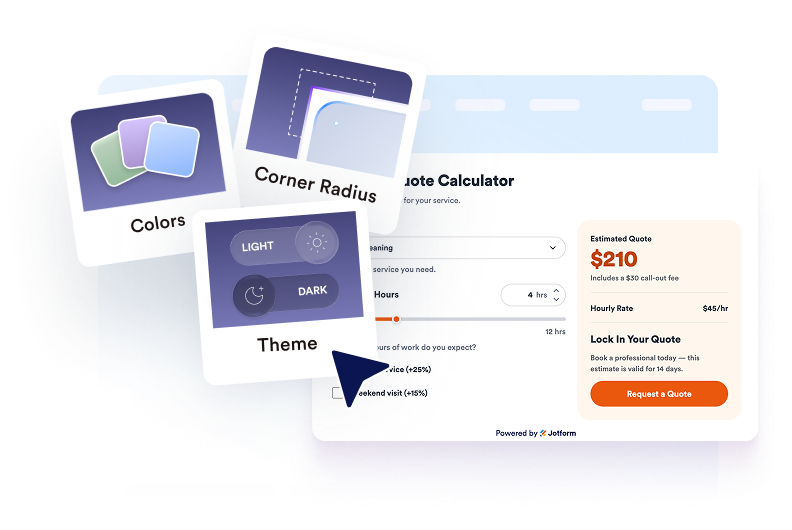
디자인 맞춤 설정
Edit the title, result label, currency, optional tax and discount, colors, corner radius, width, and an optional call-to-action button.

Embed it on your website
Preview the live total, copy the generated embed code, and publish the calculator on any page where visitors want a price.
Turn your pricing into an instant, interactive estimate
Build the inputs your price depends on
Add up to five configurable inputs as number, slider, checkbox, or dropdown fields, each with its own label and price per unit or per option.

Show a live total as visitors choose
The estimated total recalculates instantly with a base price, per-field pricing, and optional percentage or fixed discount and tax.

Match the calculator to your brand
Pick a style preset and adjust surface, input, result, and button colors, corner radius, currency symbol, and scoped custom CSS.

Guide visitors to the next step
Add an optional call-to-action button, use one- or two-column layouts, and control desktop and mobile visibility.

Why Jform Website Widgets stand out
Jotform’s widgets make your website more interactive and increase conversions. There are many tools available, from star ratings and testimonial sliders to social proof popups and media embeds. Add widgets to your forms or landing pages to collect data, display proof, and capture leads — no coding required.
Add Jform widgets to your website with a simple embed code. Customize the widget, preview how it looks, and paste it into any page that supports custom HTML or embed blocks, all without a developer.
Use Jform Website Widgets to collect leads, show customer feedback, display social proof, embed media, or add helpful web page tools. Each widget helps visitors interact with your business directly from your website.
If you need help setting up, customizing, embedding, or troubleshooting your widget, Jotform’s customer support team is available 24-7. You can move forward with confidence, knowing that help is there when you need it.
Where to use your Calculator widget
Add the widget anywhere visitors want to know a price before they reach out, so estimates become conversations.
Service pages so prospects can estimate project costs from options like scope, add-ons, and team size.
Pricing pages to turn a static rate table into an interactive quote that reflects real selections.
Product pages where quantity, upgrades, and delivery options change the final total.
Landing pages to give campaign traffic an instant estimate and a clear call-to-action.
Booking and quote pages so visitors can size up a package before requesting the next step.
Mobile websites where a compact, responsive calculator keeps pricing one tap away.
Convert leads into paying customers with the Jform Form Builder
Turn engagement into action with Jotform. Create powerful forms that capture leads, collect payments, and automate responses, all in one place. Every submission lands in your Jform Inbox, where you can follow up or connect with your favorite apps.
시작하기 — 무료입니다!
자주하는 질문
What is a Calculator widget?
A Calculator widget is an embeddable tool that lets website visitors estimate a price, cost, or quote by choosing options you define, with the total updating in real time.
Are there ready-made calculator templates?
What input types can I add?
How is the total calculated?
Can I add tax and discounts?
Can I change the currency?
Can I customize the design?
Can I add a call-to-action button?
Does the widget work on mobile?
Do I need to code anything?