# Jform AI Chatbot for Canva | Add AI Chat to Canva Designs

# Jform AI Chatbot for Canva

## Add an AI Chatbot to your Canva designs

Turn static Canva designs into interactive experiences. Add a fully functional AI chatbot directly inside Canva. No code, no switching tools, no design compromises.

Engage visitors, answer questions, collect leads, and guide users to forms or actions while maintaining on-brand consistency and keeping everything within your Canva workflow.

[Add AI Chatbot to Canva](https://link.jotform.com/jIK4UE5BIk)

![Image 1: Jform Canva Agent Image](https://cdn.jotfor.ms/image/r/aHR0cHM6Ly9jZG4uam90Zm9yLm1zL3AvYWktY2hhdGJvdC9hc3NldHMvaW1nLW1pbi9jYW52YS9oZXJvLWltYWdlLnBuZw==/hero-image.png?w=2560&t=1)

## 작동 원리

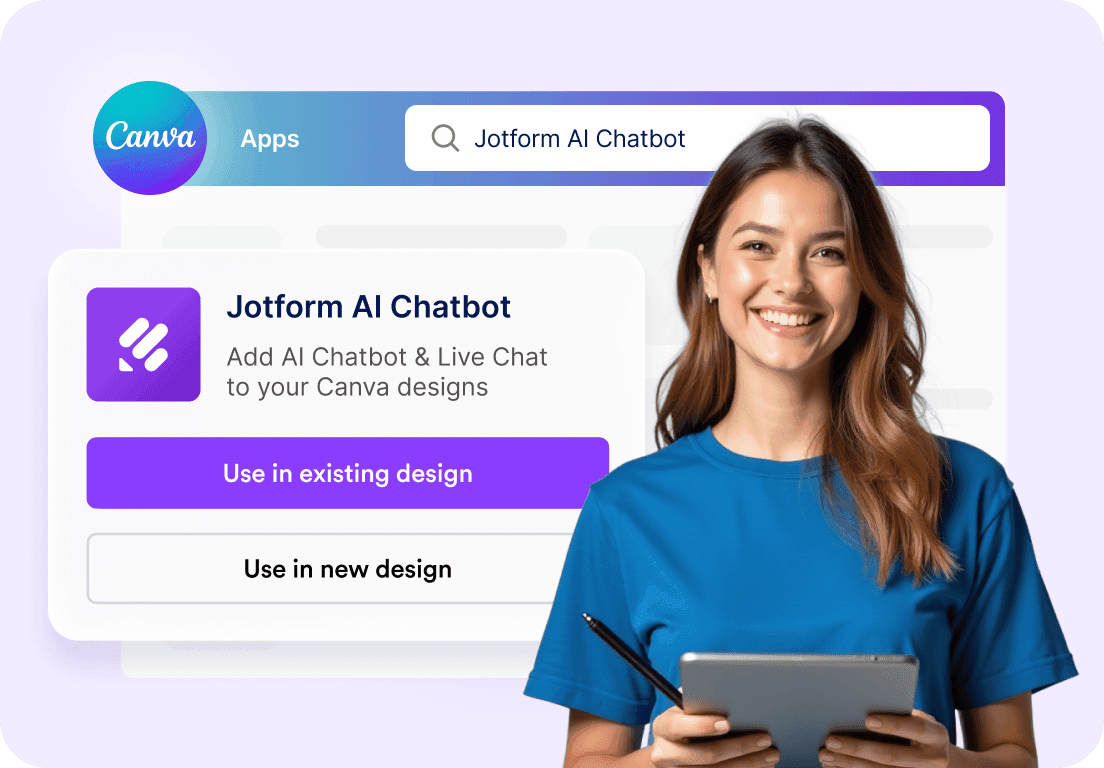
![Image 2: Add the Chatbot in Canva](https://cdn.jotfor.ms/image/r/aHR0cHM6Ly9jZG4uam90Zm9yLm1zL3AvYWktY2hhdGJvdC9hc3NldHMvaW1nLW1pbi9jYW52YS9ob3dpdC0xLnBuZw==/howit-1.png?w=1104&t=1)

### Add the Chatbot in Canva

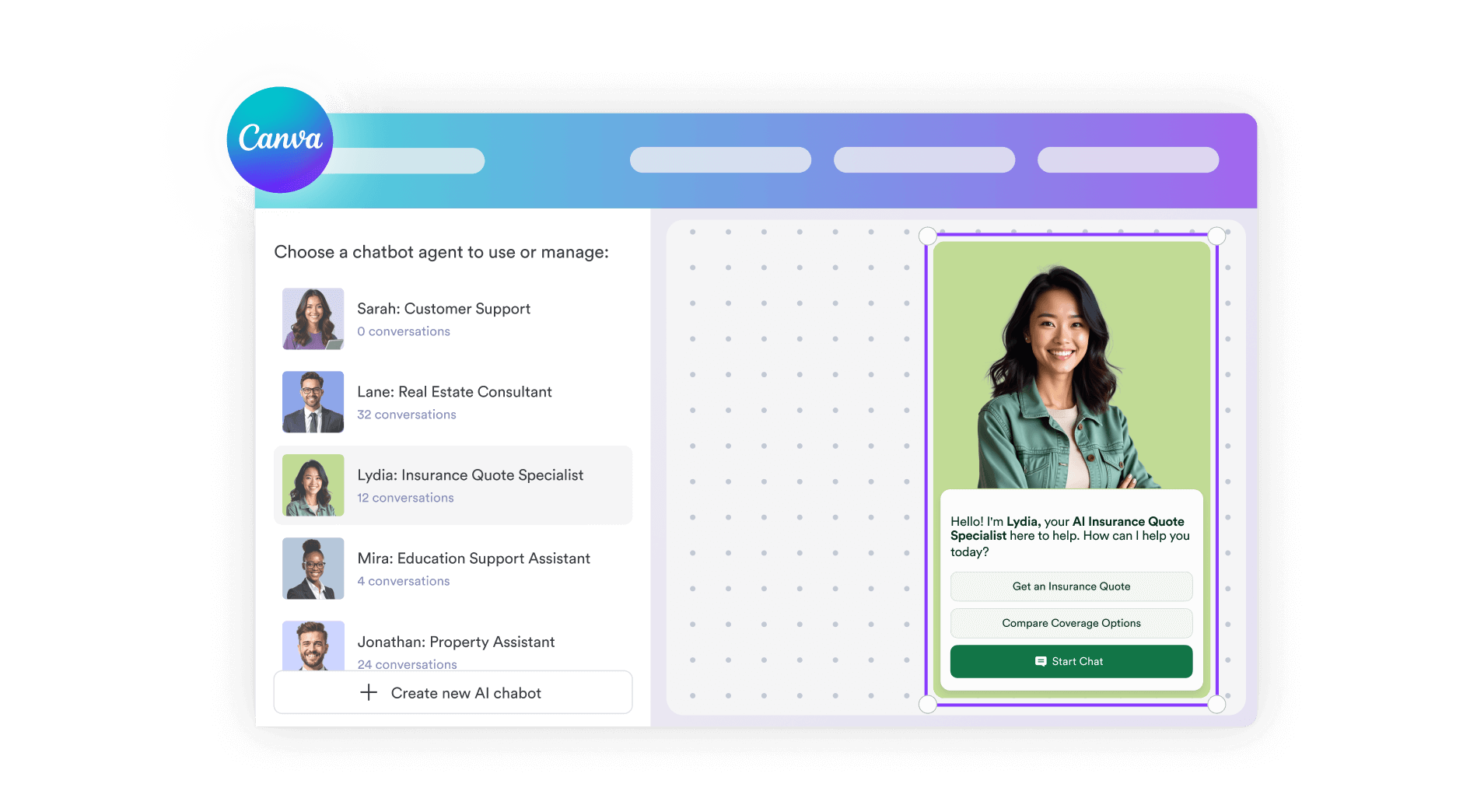
Open the Jform AI Chatbot app from the Canva App Store and drop it directly into your design. No embeds, no external links, and no coding required.
![Image 3: Customize it to match your design](https://cdn.jotfor.ms/image/r/aHR0cHM6Ly9jZG4uam90Zm9yLm1zL3AvYWktY2hhdGJvdC9hc3NldHMvaW1nLW1pbi9jYW52YS9ob3dpdC0yLnBuZw==/howit-2.png?w=1104&t=1)

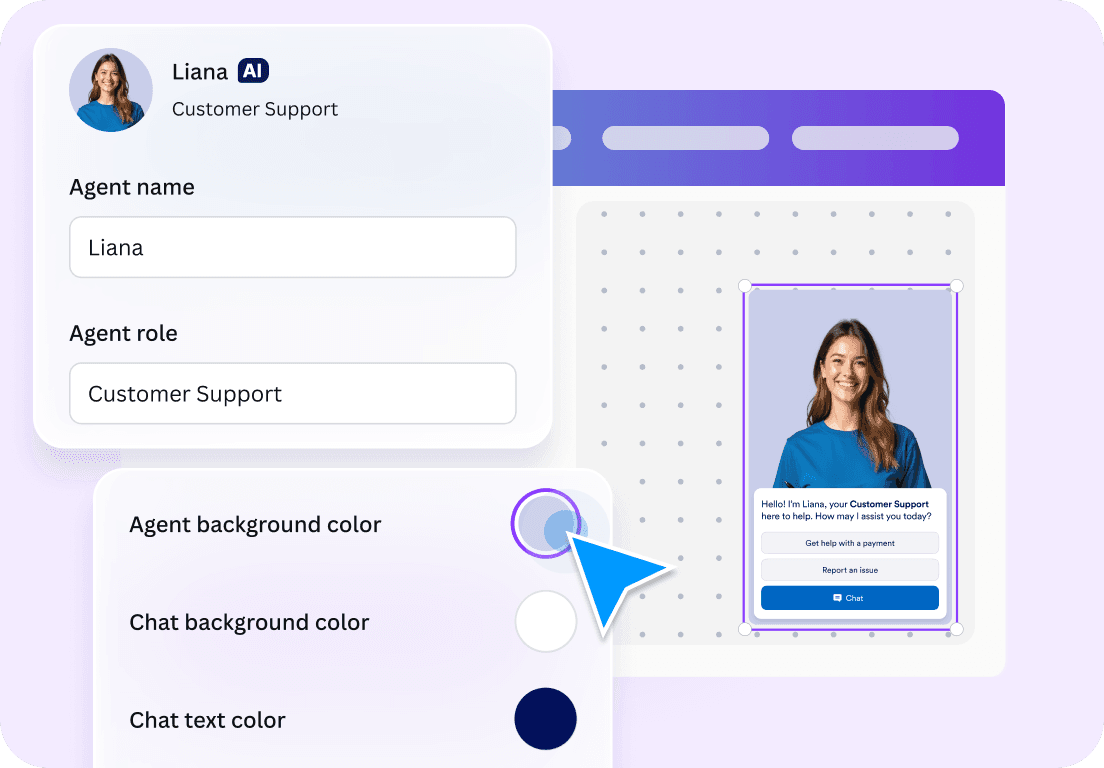
### Customize it to match your design

Edit colors, button styles, avatars, welcome messages, and call-to-action buttons right inside Canva. Your chatbot blends naturally with your layout and visual style.
![Image 4: You’re ready to go!](https://cdn.jotfor.ms/image/r/aHR0cHM6Ly9jZG4uam90Zm9yLm1zL3AvYWktY2hhdGJvdC9hc3NldHMvaW1nLW1pbi9jYW52YS9ob3dpdC0zLnBuZw==/howit-3.png?w=1104&t=1)

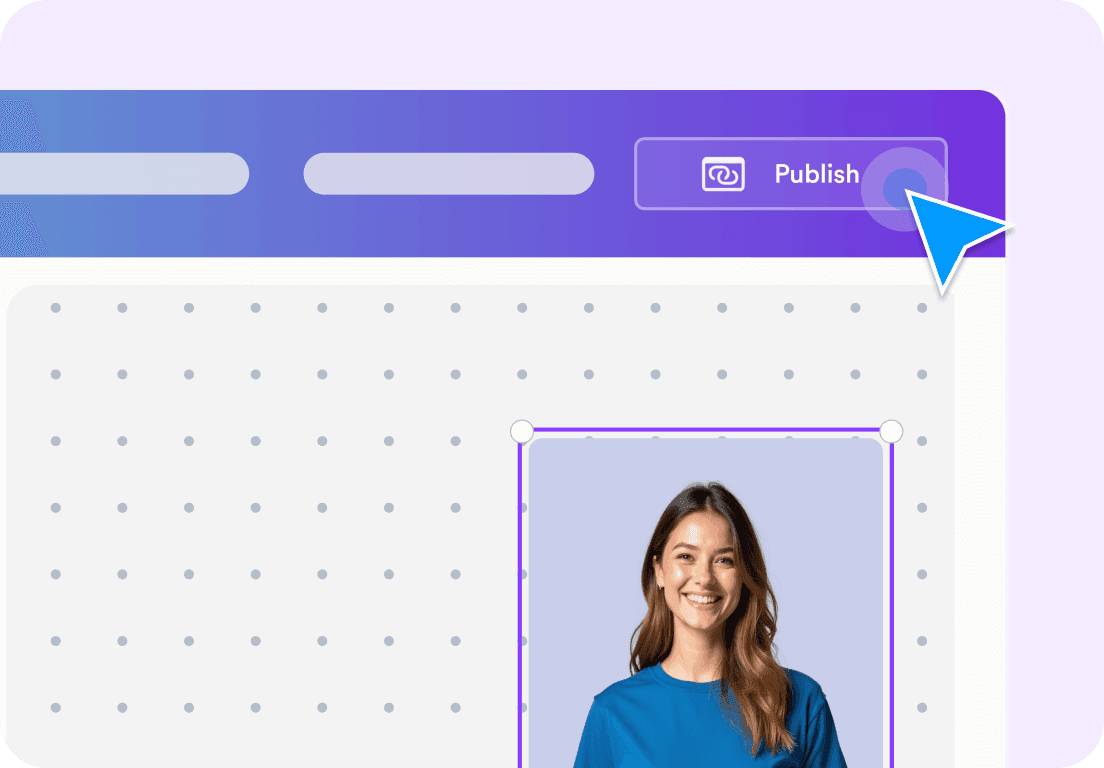
### 이제 시작할 준비가 되었습니다!

Publish your design with a live AI chatbot that can answer questions, collect leads, book appointments, or guide visitors to forms. All powered by Jform AI.
[Add AI Chatbot to Canva](https://link.jotform.com/jIK4UE5BIk)

## Why Canva creators use Jform AI Chatbot

![Image 5: Built for Canva, not added as an afterthought](https://cdn.jotfor.ms/image/r/aHR0cHM6Ly9jZG4uam90Zm9yLm1zL3AvYWktY2hhdGJvdC9hc3NldHMvaW1nLW1pbi9jYW52YS9iZW50by0xLnBuZw==/bento-1.png?w=40&t=1)

### Built for Canva, not added as an afterthought

Jform AI Chatbot for Canva is a native integration. It works seamlessly within Canva designs, ensuring your layout remains intact and your user experience remains seamless.
![Image 6: Turn designs into interactive experiences](https://cdn.jotfor.ms/image/r/aHR0cHM6Ly9jZG4uam90Zm9yLm1zL3AvYWktY2hhdGJvdC9hc3NldHMvaW1nLW1pbi9jYW52YS9iZW50by0yLnBuZw==/bento-2.png?w=40&t=1)

### Turn designs into interactive experiences

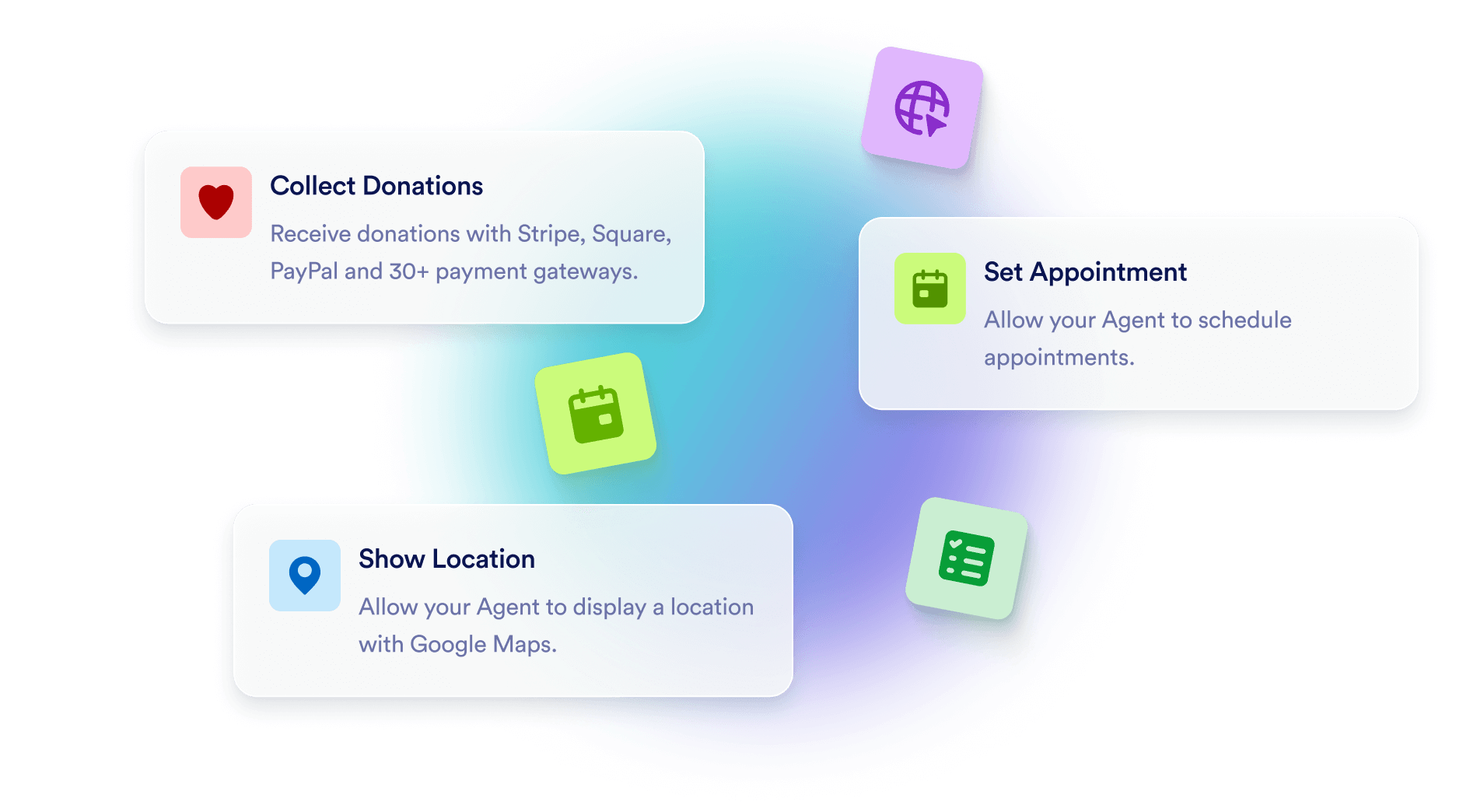
Instead of static visuals, visitors can ask questions, explore offers, or get help in real time directly within your Canva page or site.
![Image 7: Pull knowledge from your Canva content](https://cdn.jotfor.ms/image/r/aHR0cHM6Ly9jZG4uam90Zm9yLm1zL3AvYWktY2hhdGJvdC9hc3NldHMvaW1nLW1pbi9jYW52YS9iZW50by0zLnBuZw==/bento-3.png?w=40&t=1)

### Pull knowledge from your Canva content

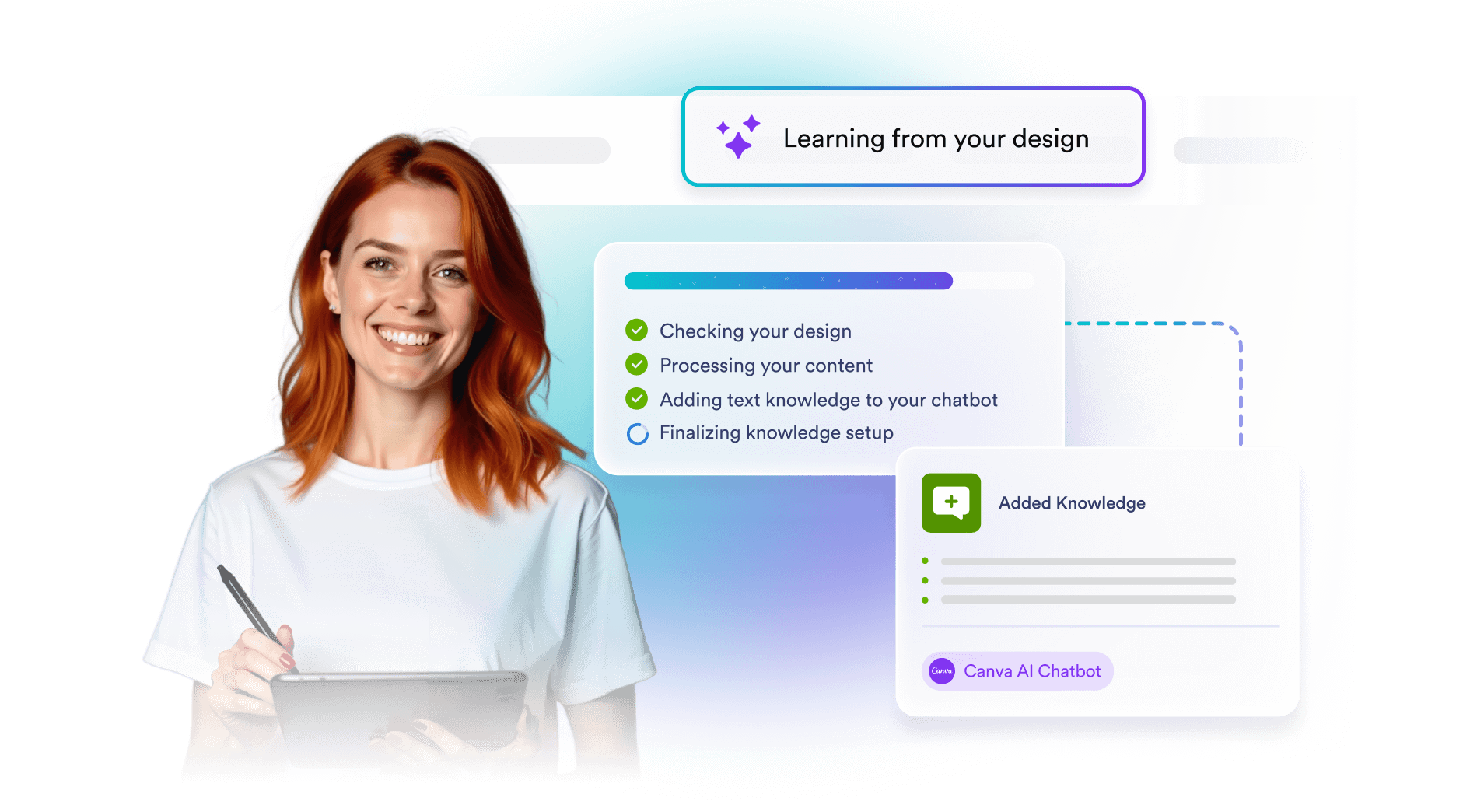
The chatbot can use text from your Canva designs as its knowledge source, allowing it to give context-aware answers based on what you’ve already created.
![Image 8: Capture leads without disrupting the flow](https://cdn.jotfor.ms/image/r/aHR0cHM6Ly9jZG4uam90Zm9yLm1zL3AvYWktY2hhdGJvdC9hc3NldHMvaW1nLW1pbi9jYW52YS9iZW50by00LnBuZw==/bento-4.png?w=40&t=1)

### Capture leads without disrupting the flow

Collect contact details, route users to forms, or connect conversations to your CRM all through natural chat interactions that feel effortless for visitors.

## 요금제

## Your Canva Designs, Now Interactive

Add an AI chatbot directly to your Canva designs and let it engage visitors in real time. **Jform AI Chatbot for Canva** helps answer questions, collect leads, and guide users without leaving Canva or disrupting your design.

[Add AI Chatbot to Canva](https://link.jotform.com/jIK4UE5BIk)![Image 9: Banner bg](https://cdn.jotfor.ms/p/ai-chatbot/assets/img-min/canva/banner-bg.svg)

## 자주하는 질문

*    
### Jform Canva용 AI 챗봇이란 무엇인가요? Jform Canva용 AI 챗봇은 Canva 사용자가 디자인에 인터랙티브한 라이브 채팅과 챗봇 경험을 추가할 수 있는 앱입니다. Jform의 AI 기반 대화 기능을 Canva에 직접 제공하여 코딩 없이도 상호작용을 만들고 설정할 수 있습니다.   
*    
### Jform Canva용 AI 챗봇을 어떻게 설치하고 사용을 시작하나요? Start by searching for Jform AI Chatbot in the Canva Apps Marketplace, then click 'Use in existing design' or 'Use in new design'. Next, click Connect to log into your Jform account or create a free account, then follow the on-screen steps to set up the app. Once connected, you can make or select an AI agent and embed it directly into your Canva design to add a live chat and chatbot experience.   
*    
### 이 앱을 사용하려면 Jform 계정이 꼭 필요한가요? You can create and try a chatbot as a guest without a Jform account. However, to manage data, customize the chatbot further, and access advanced settings such as adding knowledge, you’ll need to log in to a Jform account. You can easily sign in with your existing account or create a new one for free.   
*    
### 기존 AI 에이전트를 Canva 디자인에 삽입할 수 있나요? 네. Canva 앱 내에서 Jform 계정에 로그인하고 기존 AI 에이전트 목록에서 선택하여 Canva 디자인에 직접 삽입할 수 있습니다.   
*    
### Canva 디자인에 AI 챗봇을 어떻게 삽입하나요? You can embed an AI Chatbot into your Canva design by opening the Jform AI Chatbot app in Canva. Once the app is open, click Create to generate a new chatbot or log in to select one from your existing agents. The chatbot will then appear directly on your Canva design, where you can adjust its appearance and position before publishing.   
*    
### Jform AI 챗봇이 모든 Canva 디자인에서 작동하나요? Jform AI 챗봇은 게시된 온라인 디자인에서만 작동합니다. 오프라인 또는 정적 Canva 프로젝트에서는 지원되지 않습니다.   
*    
### Canva 디자인을 통해 시작된 대화를 확인할 수 있나요? 어디에서 볼 수 있나요? 네. Canva 디자인을 통해 시작된 모든 대화를 확인할 수 있습니다. Jform AI 에이전트 빌더의 대화 섹션에서 확인할 수 있습니다.   
*    
### 내 브랜드에 맞게 AI 챗봇을 어떻게 설정할 수 있나요? Canva 내에서 직접 Jform AI 챗봇을 맞춤 설정할 수 있습니다. 버튼, 채팅 배경, 텍스트 색상, 에이전트 아바타 등 기본 시각 요소를 편집하여 디자인에 맞출 수 있습니다. 지식 추가, 작업 생성, 챗봇 동작 정의 등 고급 맞춤 설정은 Jform AI 에이전트 빌더를 사용하세요.   
*    
### AI 챗봇을 어떻게 훈련시킬 수 있나요? Training your AI Chatbot is flexible and straightforward. You can train it using methods such as URL crawling, document uploads, direct text input, and custom Q&As. When you create a new chatbot in Canva, it also automatically learns from the content in your design, and adds it as knowledge.   
*    
### AI 챗봇이 Canva 디자인에서 자동으로 학습할 수 있나요? 네. Canva 앱에서 새 챗봇을 생성하면 디자인 콘텐츠를 자동으로 지식 소스로 사용할 수 있습니다. 기존 에이전트를 추가하면 Canva 디자인의 콘텐츠를 지식으로 가져오지 않습니다.   

더 보기