ChatGPT
  • 홈
  • 기능
  • 사용 사례
  • 요금제
    • 자주하는 질문
  • 로그인
  • 무료회원가입

Submissions

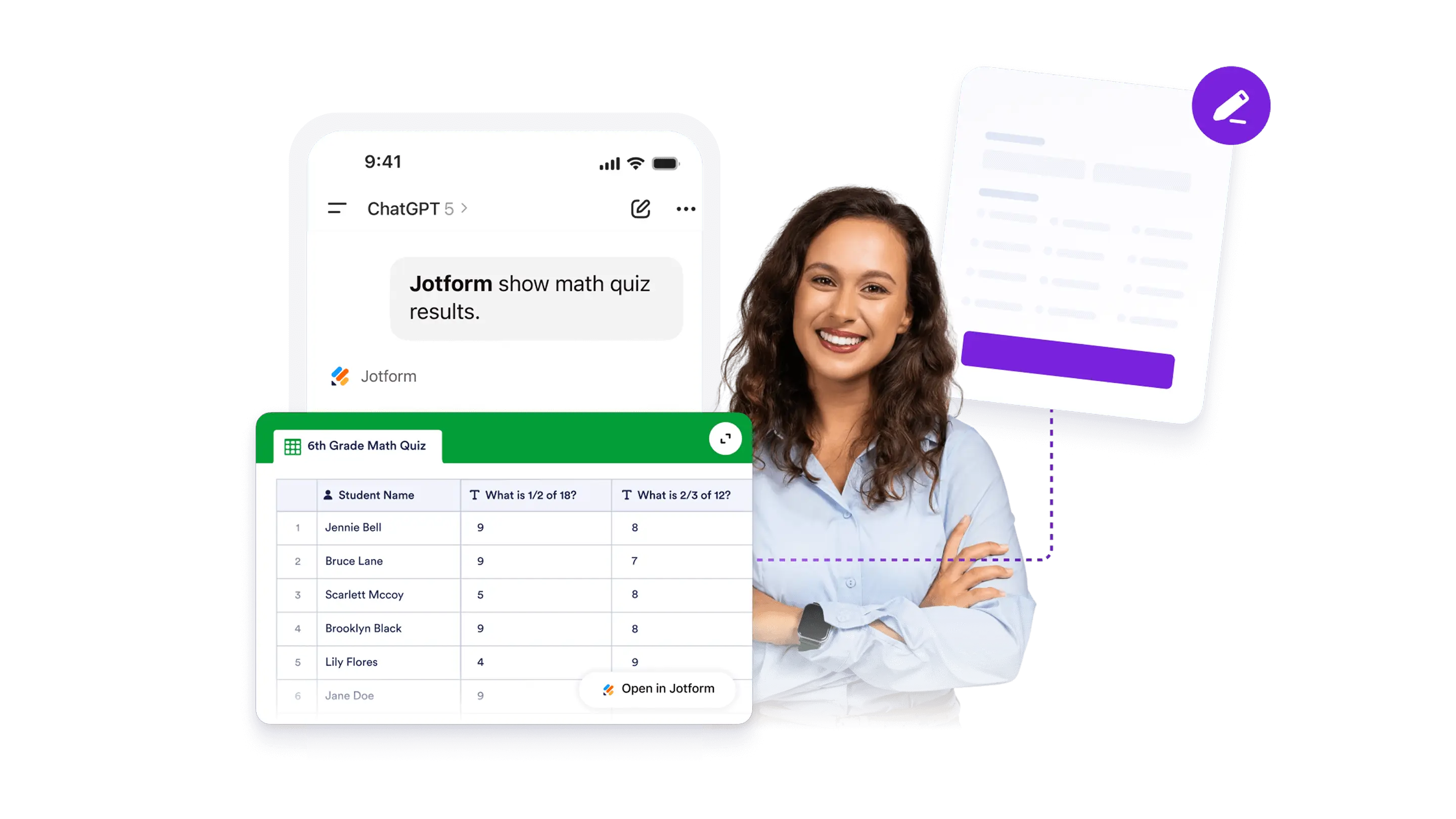
View and understand the answers people send. Search, filter, and review submissions, then summarize results to spot trends and improve your form.

대화 시작
Jform ChatGPT 앱
기능
제출자료 분류
List Attendees or Respondents
ChatGPT에서 Jform 사용하기데모 써보기

List Attendees or Respondents

대화 종료
Jform LogoJform Icon
Jform ChatGPT 앱
기능
제출자료 분류
Analyze Responses with AI
더 알아보기: Analyze Responses with AI

Analyze Responses with AI

Use ChatGPT to review form submissions and get a simple summary of responses. Helpful for open-ended answers, quick takeaways, and spotting common themes.

Filtering Submissions
더 알아보기: Filtering Submissions

제출 필터링

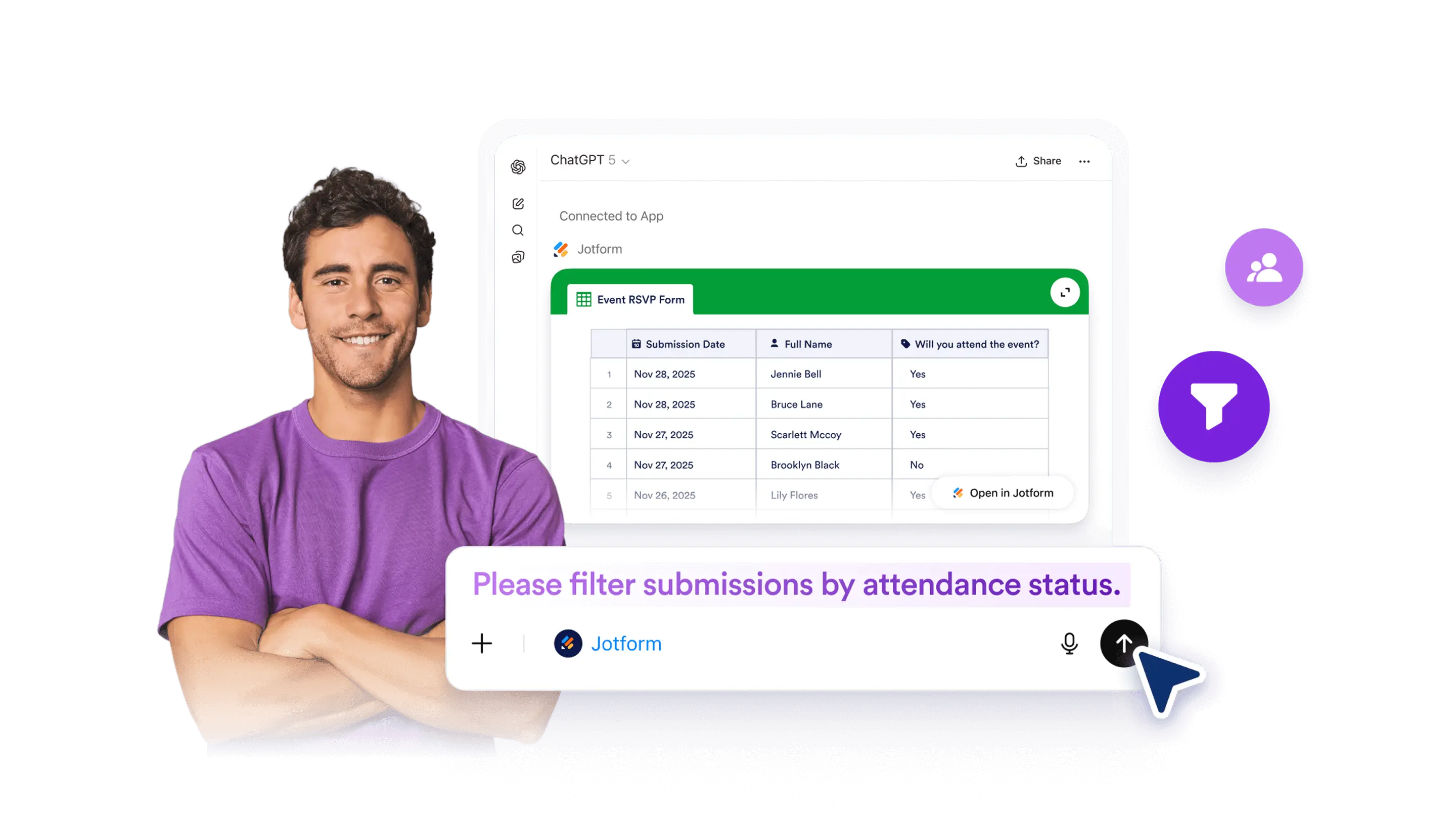
Filter and narrow down submissions for a form in ChatGPT so you can find specific responses faster. Options can vary based on your form fields, account access, and permissions.

Filter Submissions by Criteria
더 알아보기: Filter Submissions by Criteria

Filter Submissions by Criteria

Narrow down form submissions in ChatGPT. Available criteria can vary by form fields, account access, and permissions.

List Attendees or Respondents
더 알아보기: List Attendees or Respondents

List Attendees or Respondents

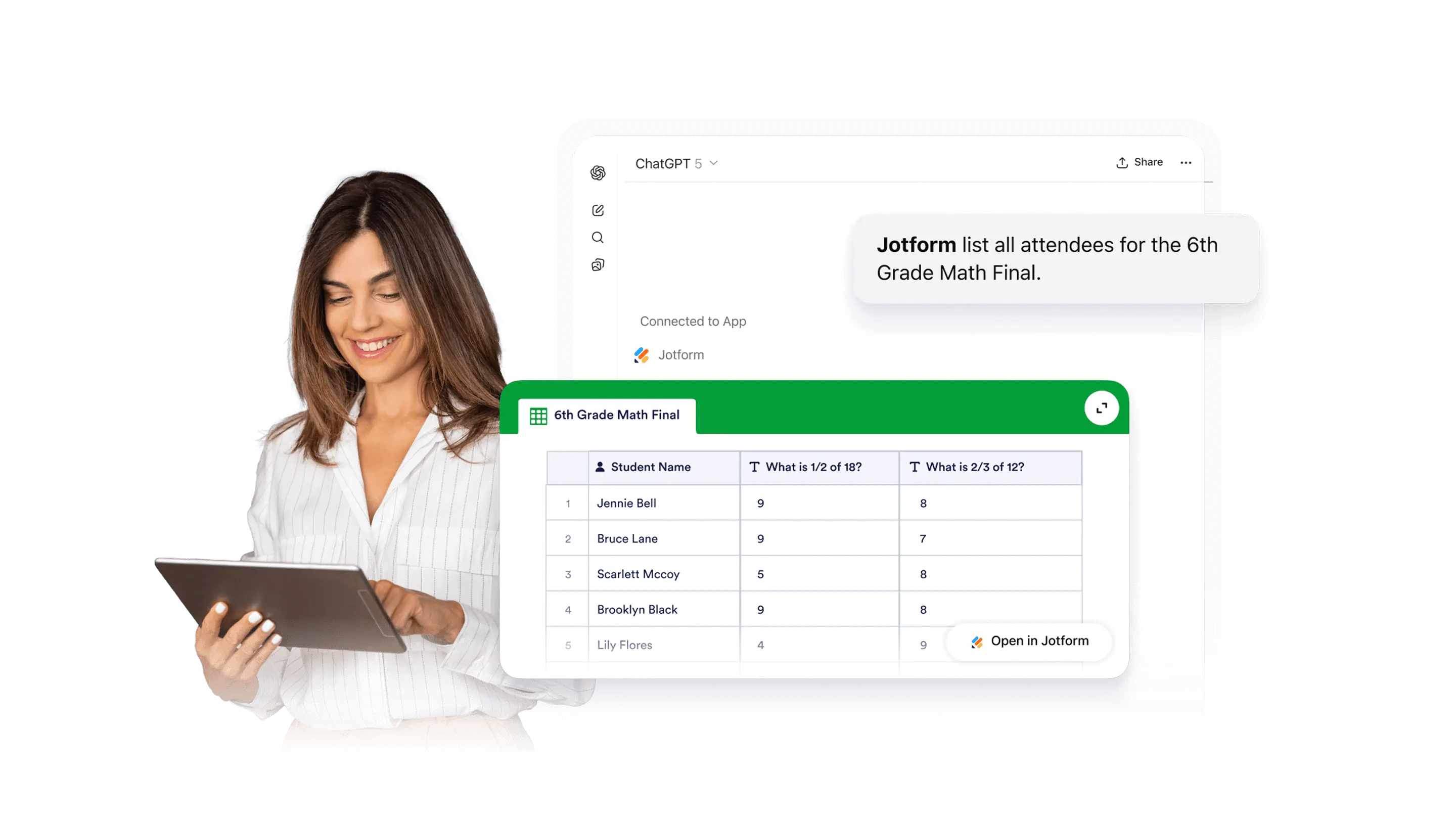
Pull a list of attendees or respondents from your form submissions in ChatGPT. Scan names and key details, then narrow down to the entries you need.

View Form Submissions
더 알아보기: View Form Submissions

View Form Submissions

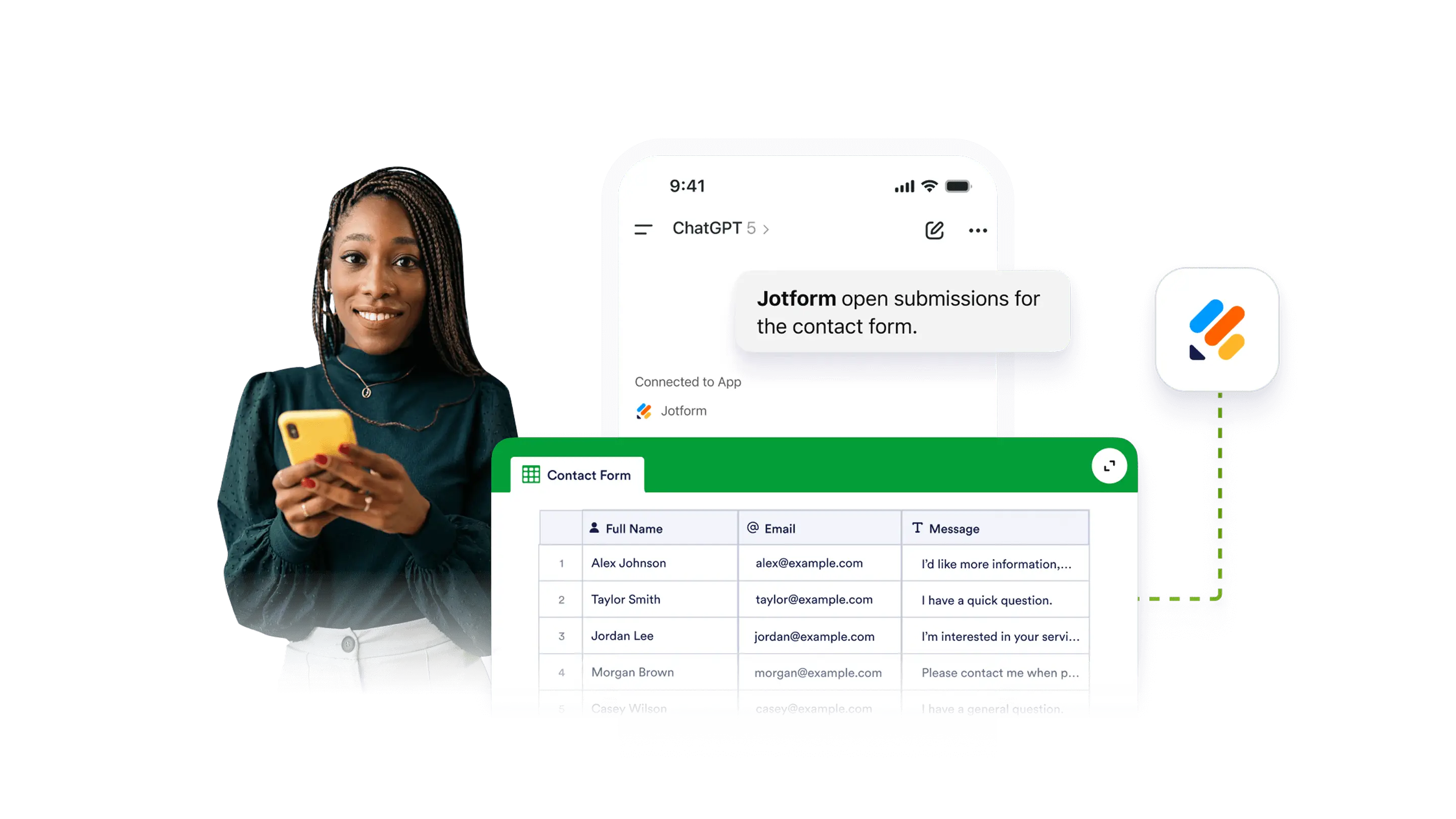
View and review submissions for a selected Jform form in ChatGPT. Pull up responses, scan key details, and find the entries you need before taking next steps.

분류
  • 소개5
  • 기능AI Form Creation5
  • 기능Form Settings & Design10
  • 기능Form Structure9
  • 기능제출자료5
  • 기능양식 관리2

Jform

  • 양식 만들기
  • 나의 작업 공간
  • 요금제
  • Jform 엔터프라이즈
      • 신청 양식
      • 등록 양식
      • 문의 양식
      • 피드백 양식
      • 주문 양식
      • 평가 양식
      • 예약 양식
      • 예약 양식
      • 요청 양식
      • 정부
      • 의료
      • 여름 캠프
      • 식당 및 식료품
      • 교회
      • 동물 보호소
      • 사진 촬영
      • 교육 전문가
      • 중소기업
      • 비영리 단체
      • 창의적 기업
      • 사용자 후기
      • 설문조사 만드는 방법
      • 정보수집 방식
      • 양식 디자인
      • 온라인에서 결제 받기
      • 코딩 없이 앱 만들기
      • QR 코드란 무엇인가요?
      • 웹사이트 만드는 방법
      • 온라인으로 판매하는 방법
      • 업무 평가 가이드
      • 재택근무
      • 모든 비지니스 가이드
    • 사용 사례
    • Jform 양식 빌더
    • Jform 일정 예약
    • Jform 앱
    • Jform AI 에이전트
    • Jform 보드
    • Jform 스토어 빌더
    • Jform 테이블
    • Jform 인박스
    • Jform 모바일 양식
    • Jform 워크플로우
    • Jform 리포트 빌더
    • Jform 스마트 PDF 양식
    • Jform PDF 편집기
    • Jform 서명
    • Jform 팀
    • 조건부 논리
    • 대화 페이지
    • 양식 지정
    • 양식 번역
    • 화이트 라벨링
    • 양식 활성-비활성화
    • 여러 사용자
  • 도구
  • AI 도구
    • Google Forms 대안
    • Microsoft Forms 대안
    • Typeform 대안
    • Tally Forms Alternative
    • Fillout 대안
    • Formstack 대안
    • SurveyMonkey 대안
    • Wufoo 대안
    • 123FormBuilder 대안
    • WPForms 대안
    • Paperform 대안
    • Adobe 서명 대안
    • PandaDoc 대안
    • DocuSign 대안
    • Jform 대안

구매

    • 양식 템플릿
    • 에이전트 템플릿
    • 보드 템플릿
    • 앱 템플릿
    • 워크플로우 템플릿
    • 테이블 템플릿
    • PDF 템플릿
    • 서명 템플릿
  • 양식 테마
  • 양식 위젯
    • 결제 통합
    • 모든 통합
    • Canva를 위한 Jform
  • 웹사이트 위젯

지원

  • 문의하기
  • 사용자 메뉴얼
    • 자주하는 질문
    • 게시판
    • API 및 개발자
    • Jform 상황
    • Jform 북스
  • Jform 아카데미
  • 웹 세미나
  • 팟캐스트
  • 전문 서비스
  • 악용사례 신고
  • 저작권 문제 보고하기
  • Jform 계정 복구

회사

  • 회사 소개
  • AI를 위한 Jform 사실
  • 미디어 자료
  • 뉴스보도
  • 소식지
    • 에이전시 프로그램 NEW
    • 리셀러 프로그램
    • 제휴 프로그램
    • Jform 파트너
  • 블로그
  • 고객 스토리

앱

Jform은 전 세계 35백만 명 이상의 사용자가 신뢰하는 가장 쉬운 온라인 양식 빌더입니다. 20,000+개의 양식 템플릿, 150+개의 통합 기능, 드래그 앤 드롭 기능을 갖추고 있으며, 코딩 없이 전문적인 양식이 필요한 비즈니스를 위해 데이터 수집, 결제, 워크플로우를 간소화하도록 설계되었습니다.

4 Embarcadero Center, Suite 780, San Francisco CA 94111
  • Terms & Conditions
  • Privacy Policy
  • Security
  • Accessibility Statement
  • Anti-Slavery Policy