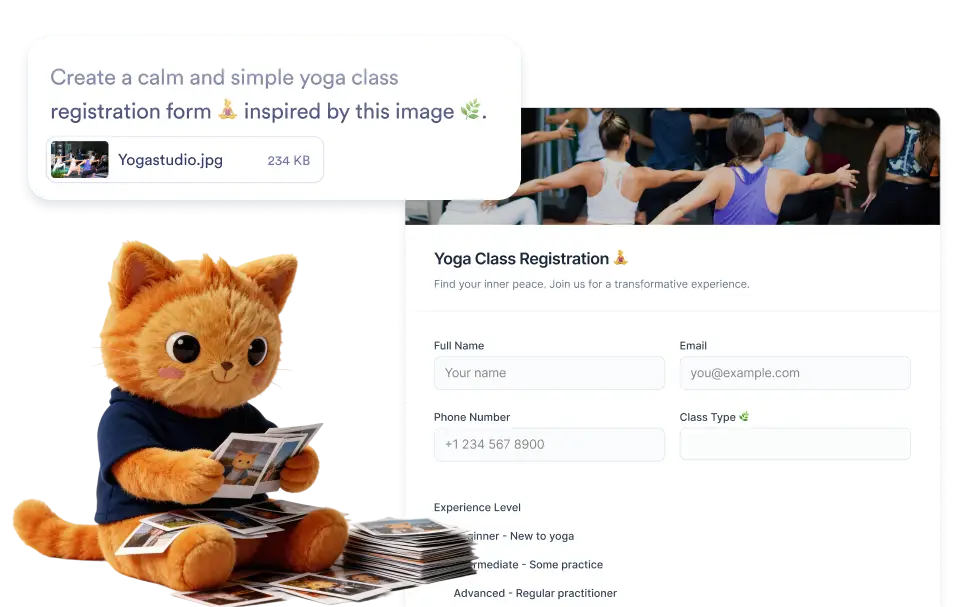
아이디어 또는 사용 사례에 맞는 이미지를 업로드하거나 만들고자 하는 양식을 선택적으로 설명하세요. AI는 시각적 단서와 사용자의 지침을 모두 사용하여 관련 질문과 필드가 포함된 구조화된 양식을 생성합니다.
어떤 이미지로든 양식 생성
결과를 개선하려면 이미지를 업로드하는 동안 만들려는 양식을 설명할 수도 있습니다. Jform AI는 이미지의 시각적 컨텍스트와 작성한 지침을 모두 사용하여 더 정확한 양식 구조를 생성합니다.
이미지 컨텍스트를 활용하여 양식 생성
만들려는 양식에 대한 컨텍스트를 제공하는 이미지를 업로드하여 시작하세요. Jform AI는 이미지를 분석하고 감지된 세부 정보를 사용하여 관련 필드가 포함된 구조화된 양식을 자동으로 생성합니다.

자주 묻는 질문
아이디어 또는 사용 사례를 나타내는 이미지를 업로드한 다음, 선택적으로 만들려는 양식을 설명하는 짧은 설명을 추가하세요. Jform AI는 시각적 콘텐츠와 지침을 함께 분석하여 게시하기 전에 편집할 수 있는 관련 필드가 포함된 구조화된 온라인 양식을 생성합니다.
You can upload many types of images such as product photos, visual concepts, event posters, menus, sketches, or screenshots. Jform AI analyzes the visual context of the image and uses it to generate a form that matches the theme or purpose suggested by the image.
Yes. Once the form is generated, you can fully customize it in the Jform form builder. Edit field labels, add or remove questions, adjust field types, reorganize sections, and customize the form design so the final version fits your workflow perfectly.