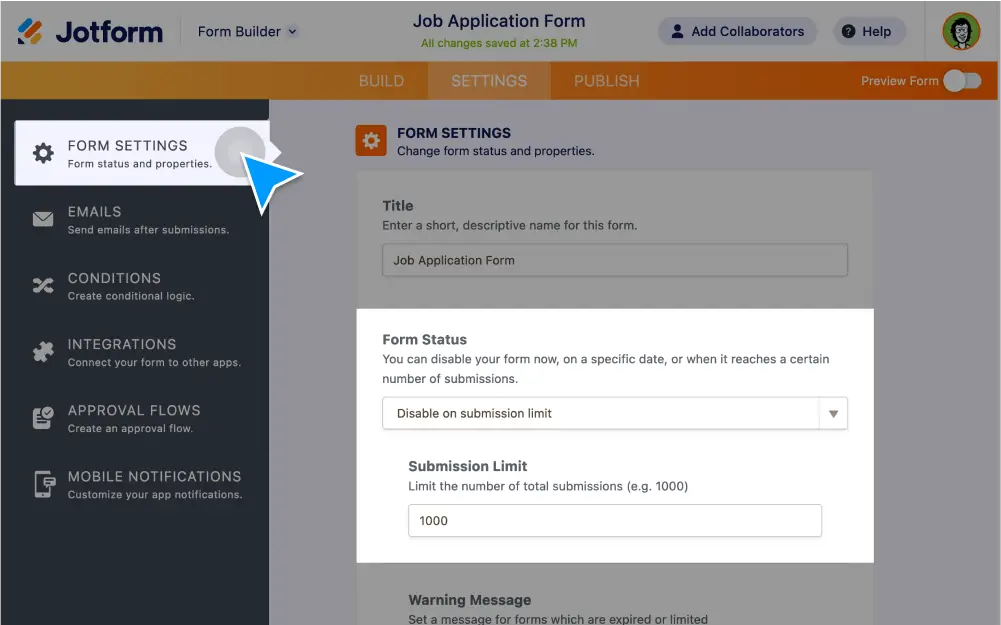
Tired of reading and deleting unwanted submissions? Limit form submissions and stop spam in its tracks. Disable your form on an expiration date or when it reaches its submission limit. You can even !
Declutter Your Inbox
Prevent spam and duplicate entries by setting a submissions limit for your form. Disable your form when it hits a specific date, submission count, or both.
Limit form submissions
Automatically disable your form as soon as it reaches its submission limit.
Set an expiration date
Make your form expire on a certain date so no more submissions can be accepted.
Prevent duplicate submissions
Prevent spam and verify form submissions by allowing phone numbers or emails to be submitted only once. You can also check to see if duplicates are coming from the same browser or IP address.
Set form limits based on a unique question
Form limits based on Unique Questions will work on any input type such as Email fields or plain Text fields.