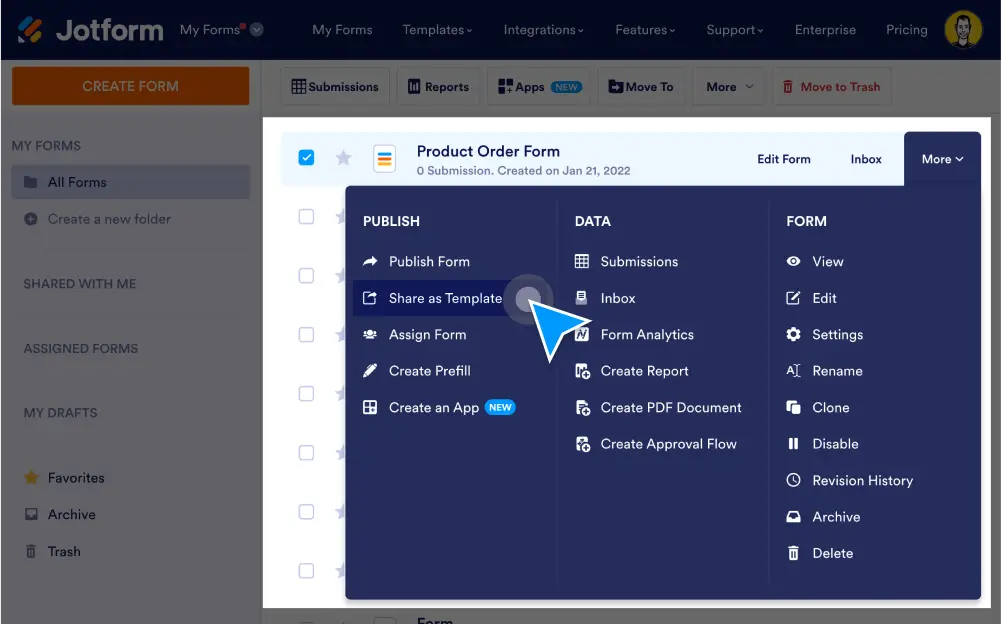
Jform으로 새로운 온라인 양식 및 설문 조사를 만들었다면 이제는 자랑스럽게 공유해보세요. Jform의 템플릿 갤러리에서 사용자 정의 가능한 템플릿으로 양식을 공유할 수 있습니다. 언제든지 양식 접근성과 보기, 편집, 권한을 설정할 수 있습니다.
Share forms in the template gallery
나만의 온라인 양식을 만들고 Jform의 공개 템플릿 갤러리에서 템플릿으로 공유하세요. Jform 사용자는 양식 템플릿을 보고, 복제하고, 사용자 지정할 수 있습니다!
템플릿 편집 또는 공유 취소
몇 번의 클릭만으로 템플릿을 쉽게 변경하고 저장하거나 템플릿 갤러리에서 제거할 수 있습니다.
템플릿 보기
See your published form templates without searching for them. Select the My Templates option in Jform’s template gallery to view all of your public forms at once.
Manage Privacy Settings
Take control over who can access your form template. Update privacy settings to prevent your template from being cloned or shared by other users.