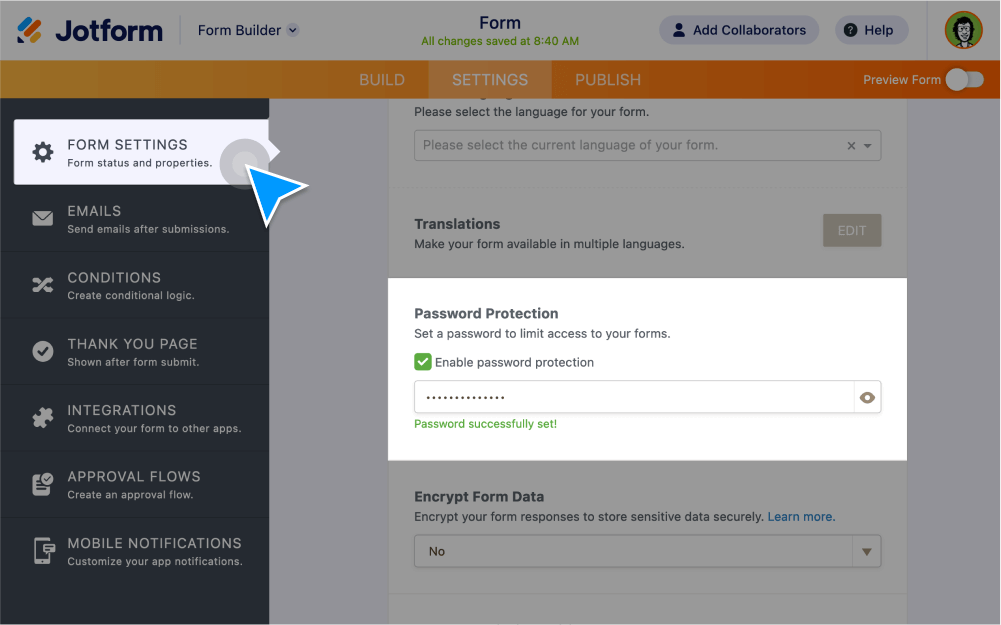
안전한 온라인 양식을 위해 비밀번호 보안과 원치 않는 제출자료를 차단할 수 있습니다. 기간 한정, , 내부 회사 양식 등을 위해 양식 접근성을 부여할 수 있습니다.
Control Who Fills Out Your Form
Stop form spam by enabling password protection. Ensure that only the right people will have access to your custom online form.
Offer limited-time discounts
Set a unique password to provide discounts to a specific group of customers or clients.
Get registrations for private events
Receive registration info only from members of your guest list to avoid unwanted submissions and make sure your event stays exclusive.
Create internal company forms
Password protect your company’s internal forms to keep them private.
Give early-bird access
Set a password to give select customers exclusive early-bird access to your products or services.
Enable Password Protection
Protect your forms by setting a password in just a few clicks. Only users who know the password will be able to access and fill out your form.
Set a form password
Create password-protected forms without coding. You can toggle the password visibility and reset it at any time.
Can I password protect PDF attachments?
Yes, you can automatically send a copy of the user’s completed form submission to them as a password-protected PDF.
Set a password for PDFs
Set up an autoresponder email to send users a PDF copy of their completed form. In the advanced email settings, toggle the PDF attachment setting to on, and enable password protection. Then enter the password. It’s that easy!