Enable your AI Agent to take action based on predefined conditions. Whether it’s sending an email on a specific date, showing a video when a topic is mentioned or triggering a workflow when a form is submitted.
Define Triggers and Actions
Enable your AI Agent to take action based on predefined conditions. Whether it’s sending an email on a specific date, showing a video when a topic is mentioned or triggering a workflow when a form is submitted.
Triggers
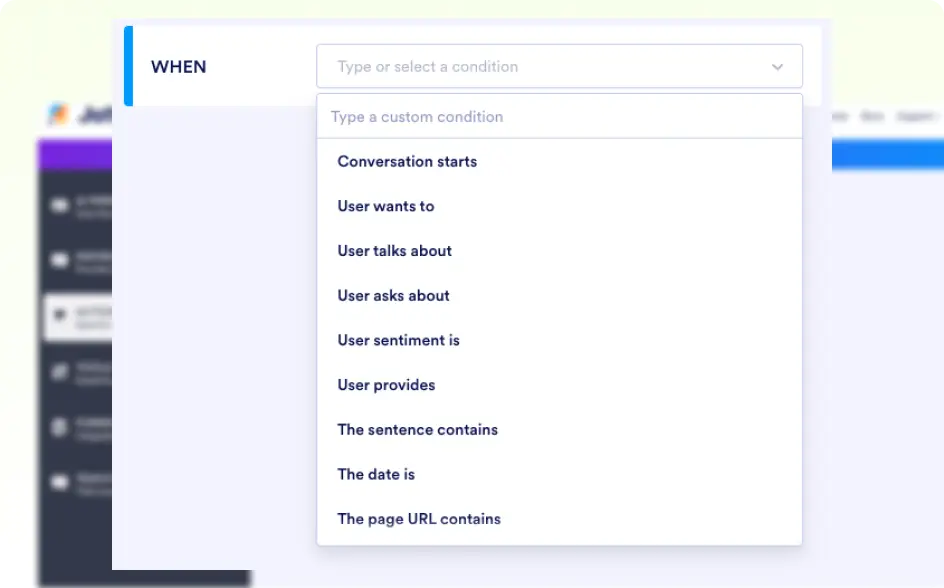
- Conversation starts: Trigger actions like greetings when a user initiates a chat.
- User wants to: Triggered when a user expresses an intention, such as making a booking or requesting assistance.
- User talks about: Recognizes topics when a user mentions specific keywords or topics and triggers actions.
- User asks about: Triggers precise answers based on questions.
- User sentiment is: Adapt responses based on emotions, offering help or escalation if needed.
액션
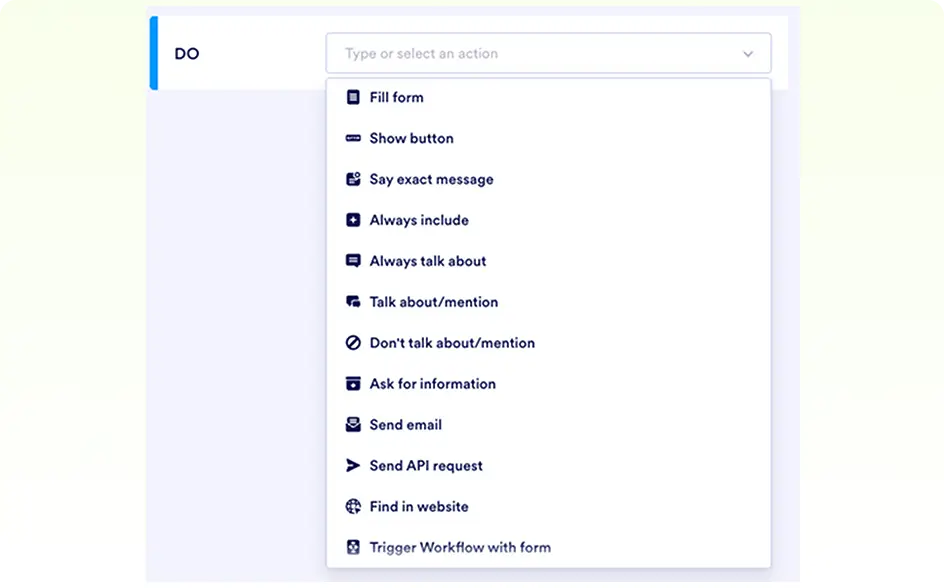
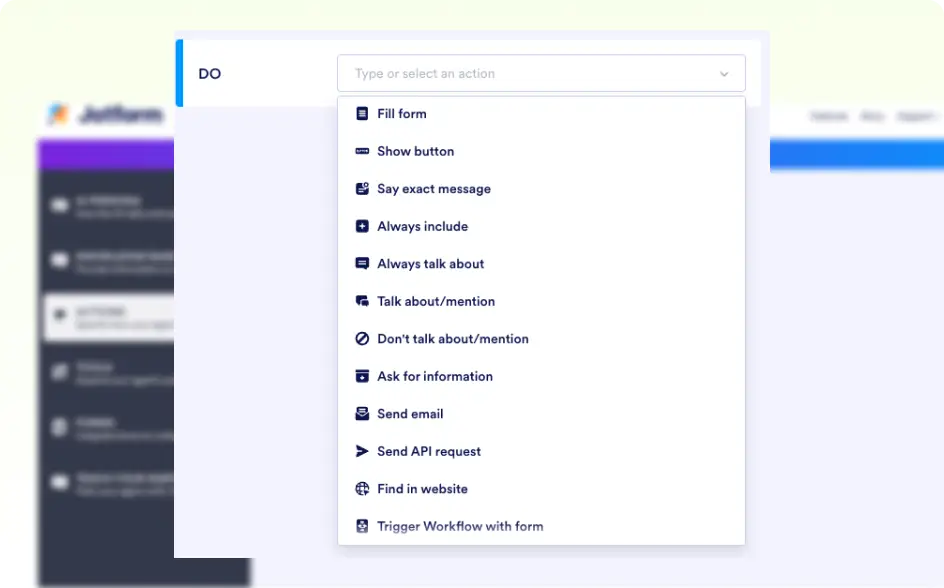
- Fill form: Simplify data collection by having the AI agent present a form directly to the user during the conversation.
- Show button: Displays a clickable button for the user to take further action.
- Say exact message: Sends a predefined response to the user.
- 항상 포함: 응답에 특정 정보가 항상 포함되도록 합니다.
- Talk about/mention: Discusses a certain topic throughout the conversation.
- 언급/논의 금지: 에이전트가 특정 주제에 대해 논의하는 것을 방지합니다.
- 정보 요청: 필요할 때 사용자에게 추가 정보를 요청합니다.
Triggers
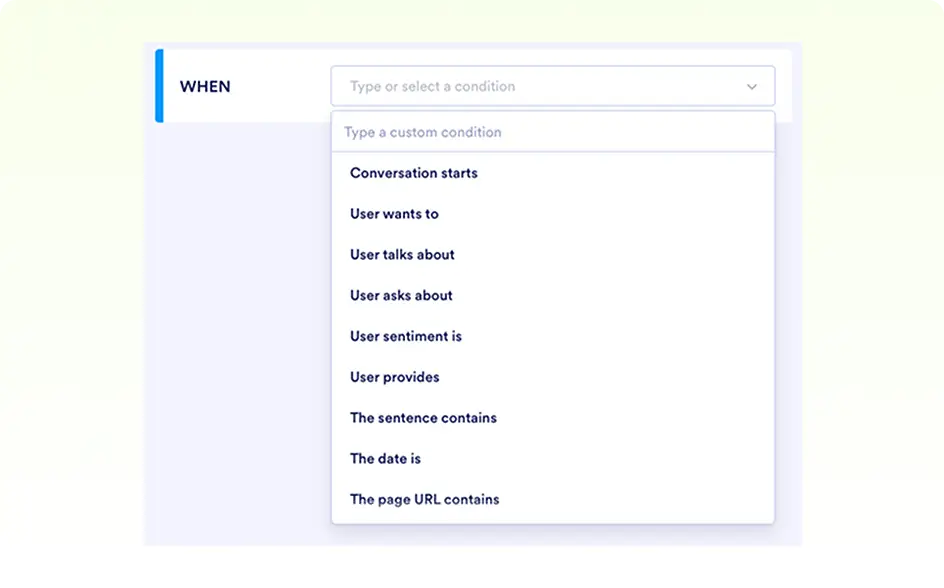
- User provides: Triggers actions when user submits specific details like their contatct information.
- The sentence contains: Triggered by specific words or phrases in the user’s message.
- The date is: Based on the date given, triggers different actions.
- The Page URL Contains: Customize interactions based on the webpage a user is visiting.
액션
- Send email: Sends an email based on a predefined template to the user or your team.
- API 요청 보내기: 외부 서비스로 API 요청을 합니다.
- Find in website: Search and deliver website content as answers.
- Trigger Workflow: Start workflows based on form submissions.
- Show video: Displays a video.
- 항목 목록: 사용자에게 항목을 선택하여 보여줍니다.
- Make an Appointment: Assists the user in scheduling an appointment or event.