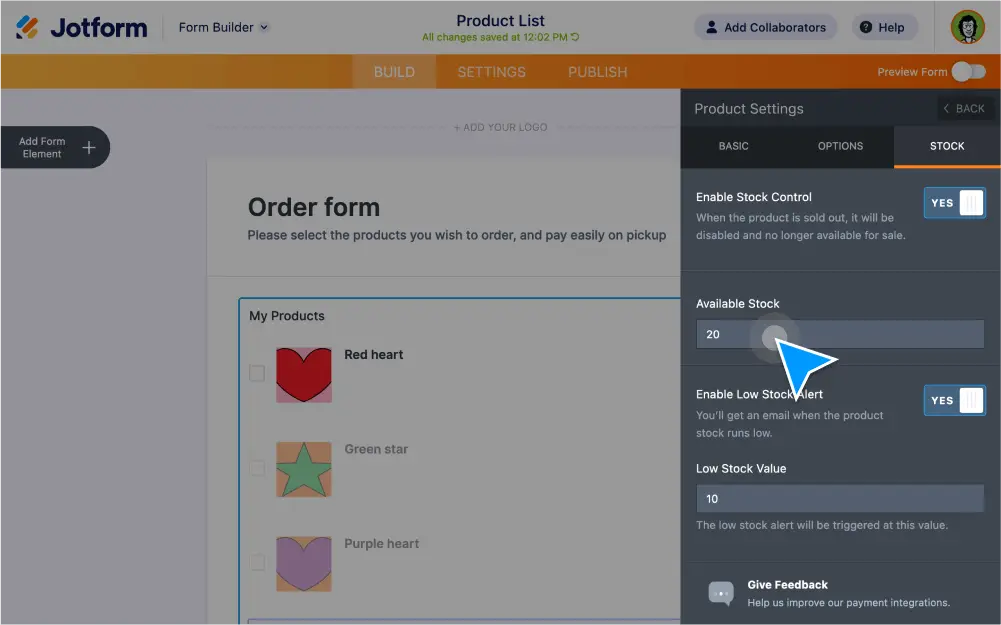
판매된 상품을 추적하고, 재고 비용을 줄이며, 구매를 제한하는데 을 사용하세요. Jform은 고급 양식 필드와 위젯을 제공하여 과다 판매를 방지하고, 사용 가능한 상품 수를 표시하며, 총 주문 비용을 자동으로 계산합니다.
Create forms with quantity limits
Prevent overselling and lower inventory costs with product quantity limits. Build your online order form with the Jform Form Builder and easily set a quantity limit based on how many items you have in stock.
Set up low stock alerts
Stay on top of your inventory — and keep customers updated too. With the Product List field, you can add products, set the available quantity, and set up automated alerts when an item is low on stock or sold out.
Add a gift registry
Display a list of limited items that form users can select on a first-come, first-served basis. When certain items have run out of stock, the Quantity Gift Registry widget will automatically list them as unavailable.
Limit bulk purchases
Avoid overselling or overbooking with the Inventory widget. Enter the number of items you have in stock and instantly block users from selecting the option once stock has run out.
Limit single purchases
Display how many products are available for purchase on your order form. Simply add the total number of items available — the Ticket Purchases widget will automatically keep track of the items or tickets until they sell out.