모든 웹사이트 방문자, 장애를 가진 사용자를 포함하여 모든 사람들이 양식에 접근할 수 있도록 만드세요. Section 508 및 WCAG 2.1 표준을 준수하는 접근 가능한 온라인 양식을 생성하세요.
섹션 508 준수
조직을 위한 섹션 508 준수 온라인 양식과 설문조사를 만드세요. 연방 자금을 지원받는 기관은 섹션 508을 준수해야 합니다.
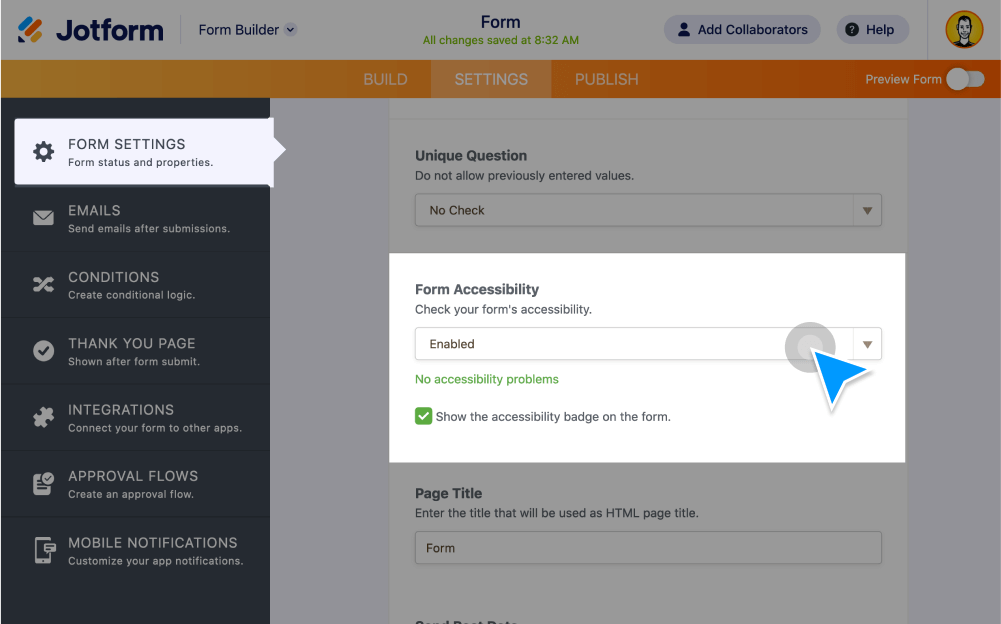
양식 접근성 활성화
양식을 작성하는 동안 잠재적인 접근성 문제에 대한 알림을 받으려면 Jform의 양식 접근성 검사기를 켜세요.
접근 가능한 양식 기능 추가
alt 텍스트 설명과 접근성 친화적인 색상 구성 등 접근성 기능을 양식에 적용하세요. Jform은 타사 음성 인식 소프트웨어를 통한 텍스트 음성 변환도 지원합니다.
접근성 문제 감지
Jform’s built-in accessibility checker instantly warns you if you add a form field or widget that isn’t Section 508 compliant.
WCAG Compliance
Make sure your organization’s web content meets WCAG 2.1 criteria with accessible online forms.
Level A and AA compliant
Make your site more accessible to visitors with disabilities. All Jform form elements offer alternative text for users with visual impairments or cognitive disabilities.
Review Jform’s VPAT
See how Jform follows Section 508 and WCAG compliance standards in our Voluntary Product Accessibility Template (VPAT).
Learn more about Jform’s accessibility features
Learn how Jform enables you to create accessible forms by reviewing our VPAT, referring to our user guide, or contacting our support team.