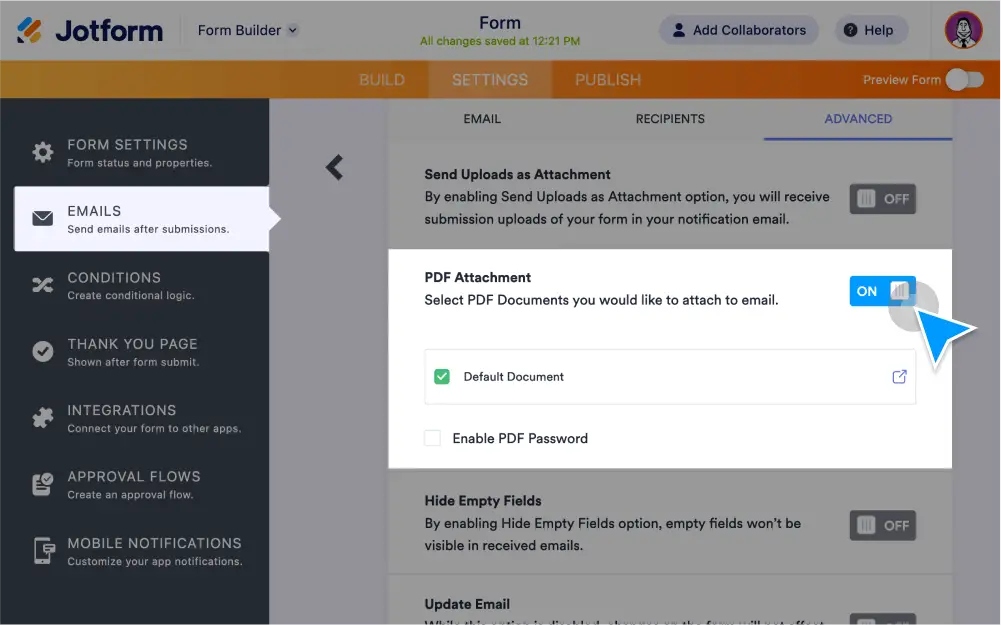
이메일 알림과 자동 응답 이메일에서 양식 제출을 PDF 첨부 파일로 수신할 수 있습니다. , 비밀번호 보호 설정, 다운로드 링크 포함, 다른 파일 첨부도 가능합니다.
PDF 첨부 파일로 제출 받기
이메일 받은편지함에서 PDF 첨부 파일로 양식 응답을 받아보고 제출 현황을 손쉽게 관리하세요.
Enable PDF attachments
Turn form entries into downloadable PDF attachments in your email notifications.
Password protect PDFs
Enable password protection to limit access to your PDFs and keep data secure. HIPAA accounts are required to password protect PDF attachments to protect sensitive info.
Download PDFs from emails
Send files that exceed the file attachment limit by simply including a download link in the content of your email notification or autoresponder.
Attach Other Files
Email more files along with PDF submissions. Simply upload the file you’d like to attach when setting up your autoresponder.